
You write down a shortlist on a Sunday, come back a fortnight later to buy, and the total is £40 higher. Nothing on the list changed except the numbers. If you’re a UK gamer working to a budget, this is the most annoying part of planning a setup or an upgrade, and it happens often enough that you should plan for it.
When prices keep creeping up, a fixed list of exact products stops working. What works is a list with rules attached, so a price move triggers a decision you already made instead of a panic. This article is about building that kind of list and deciding what to buy first, when to swap a part, when to go refurbished and when to wait.
Why your shortlist costs more on the day you buy than the day you planned it
A shortlist is a snapshot. Retailers change prices all the time, stock of a popular part runs low, and a part that was on offer when you noted it returns to its normal price. Any one of those can add to your total without you noticing until you open the basket.
The bigger problem is how most of us plan. We add up the prices we saw once, get a total that fits the budget, and treat that total as settled. Then one part moves, the total no longer fits, and the whole plan feels broken. It only feels that way because the plan had no slack and no rules for what to do next.
Treat every price on your list as a guess that expires. Write down the date you checked it. A price that’s three weeks old is a hint, not a fact.
Why the pound makes UK prices feel worse than the US ones you see in videos
If you watch build videos and reviews, most of them quote dollar prices. Two things make the same part look worse when you shop for it here.
First, US shelf prices are normally shown before sales tax is added at the till. UK prices include 20% VAT. A part that looks like a bargain at its dollar price in a video will cost noticeably more once you’re looking at the pound price with VAT already in it. A number in dollars and a number in pounds are not interchangeable, so don’t plan around a US figure and expect to match it.
Second, the exchange rate moves. When the pound weakens against the dollar, parts priced in dollars at the source cost UK retailers more to bring in, and that tends to show up on the shelf eventually. You can’t predict that and neither can I, so the sensible response is to plan in pounds only. Use UK retailer prices as your numbers and ignore the dollar figure in the video, except as a rough sign of how a part compares with its rivals.
Set a ceiling for each part, not just a total budget
A total budget tells you what you can spend overall. It doesn’t tell you what to do when one part jumps. A ceiling for each part does.
For every item on the list, write down the most you’ll pay for that exact part. It’s the price above which you’d rather change the plan than buy it. A list might look like this:
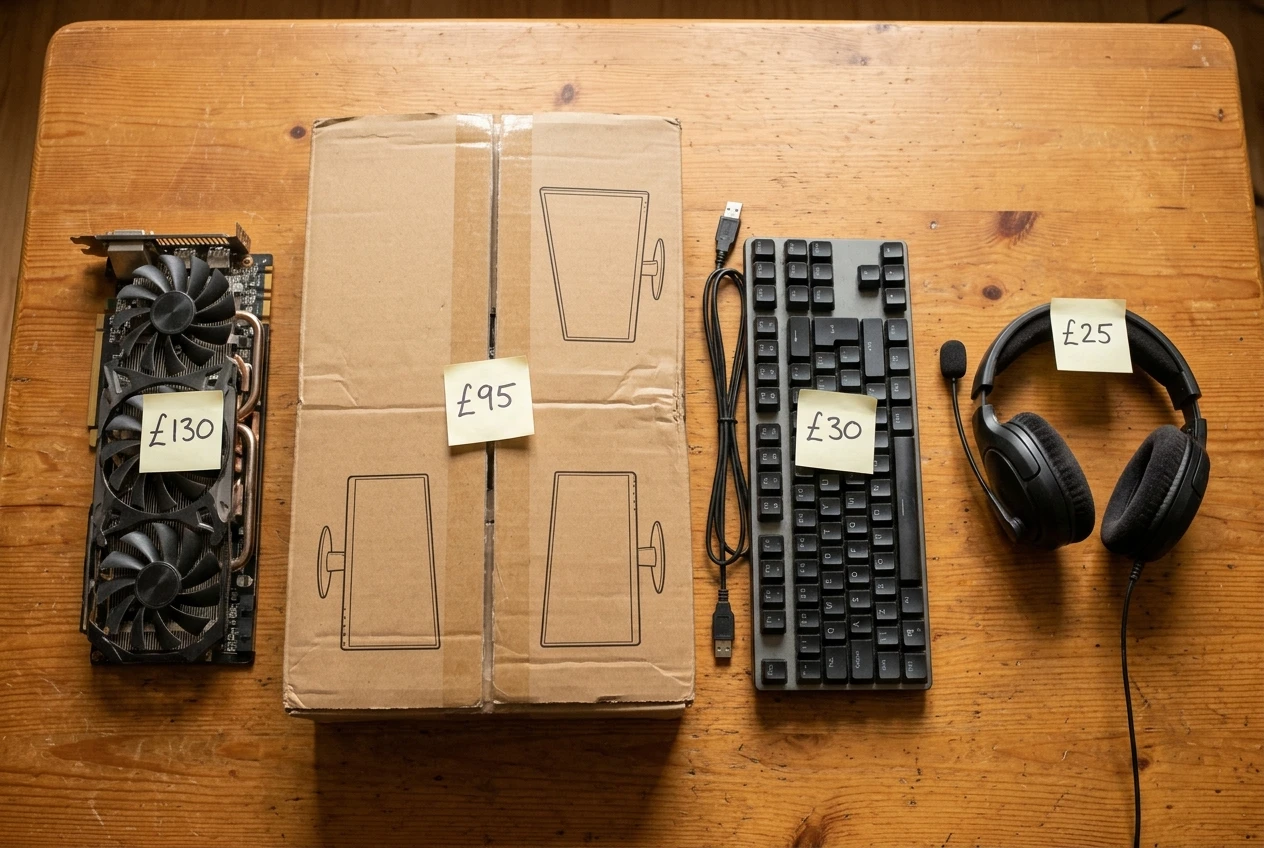
- Graphics card: your chosen model, with a ceiling a little above today’s price.
- Monitor: one model, plus the highest price you’d accept for it.
- Keyboard, mouse, headset: a ceiling each, and a named alternative for each.
Set the ceiling when you’re calm and looking at the whole budget, not when you’re staring at a price that has just gone up. A slightly generous ceiling on the part that matters most and tighter ones elsewhere keeps the total under control.
When a part is under its ceiling, buy it without second-guessing. When it’s over, you already know the next move: swap, go refurbished or wait. The ceiling turns a vague worry about prices into a yes-or-no check.
Buy the part that hurts most to lose first, and leave the flexible ones for later
You don’t have to buy everything on the same day, and with rising prices there’s a good argument for not doing so. I’d split the list in two.
The first group is the part that defines the setup and has few good substitutes. On a PC that’s usually the graphics card or the monitor you don’t yet own. If the model you picked sells out or climbs past your ceiling, the alternatives are noticeably different products. Buy this one first, while it’s inside its ceiling.
The second group is everything with plenty of interchangeable options: mouse pads, speakers, lighting, cable tidy bits, a basic keyboard. If one of these goes up, a nearly identical product at a lower price is rarely hard to find. They can wait, and you can buy them when you find a price under the ceiling.
This order also protects you psychologically. Once the core part is bought and paid for, the rest of the list becomes a set of small, low-stakes choices instead of one big risky one.
Swap tiers before you swap your plans
When a part goes over its ceiling, the usual reaction is to put the whole project on hold. Dropping one tier on that part, or on a different one, often keeps the plan intact for a small loss in performance.

The question to ask is where a cheaper alternative costs you little. Some places it usually costs very little:
- A plainer case without extra fans or a glass panel.
- A smaller storage drive now, with space to add more later.
- A membrane keyboard in place of a mechanical one, if you mostly want something that works.
- A monitor at a lower refresh rate, if your graphics card can’t reach the higher numbers anyway.
And some places it costs a lot, so I’d be wary of cutting there. A very cheap power supply is a poor saving because it feeds every other part. Going down a tier on the graphics card has a direct effect on the frame rates you get, so check what you give up before you accept the swap.
If you’re building from scratch, my guide on how to build a gaming PC on a tight budget goes through the parts in detail, including where a lower tier is safe. Use it to pick your fallback options before prices move, so the swap is already decided when you need it.
Refurbished and your current PC as price-proof options
Two options sit outside the new-part price swings entirely: buying refurbished, and making better use of what you already own.
Refurbished suits parts that don’t wear out in obvious ways and that you can inspect or get a warranty on. A refurbished graphics card can save real money, but it carries risks that a new one doesn’t, such as a shorter warranty, a seller you don’t know and a card that has been run hard. I’ve covered what to check in is a refurbished graphics card worth the risk. Read the return terms and the warranty length before you look at the price, because those decide whether the saving is worth taking.

The second option costs nothing. If your current PC is struggling, there may be frame rates sitting in settings you haven’t touched. Driver updates, in-game settings, background programs and power options can all make a difference before you spend anything. My piece on getting more FPS from your existing PC goes through them in order. If it gets you to a playable level, you can postpone the purchase until prices suit you instead of buying at your ceiling because you feel you have to.
When waiting is fine and when it just costs you more
Waiting is a reasonable choice when three things are true: your current setup still works, the part is over your ceiling, and nothing forces a deadline. In that case you lose nothing by letting a price settle or a sale come around. A sale event is not automatically a good price, though. Black Friday is later this month, and the only test that matters is whether the price on the day is under the ceiling you set. A discount from an inflated starting price can still land above what you decided to pay.
Waiting just costs you more in these cases:
- The part is going out of stock. If it’s the one you can’t easily replace, a gap in supply can push the price up further than a sale would bring it down.
- Your current hardware is failing or can’t run the games you bought it for. Every week of waiting is a week of not playing, which is a cost even if it doesn’t show on a receipt.
- You’re waiting for a drop with no reason to expect one. Hoping a price will fall isn’t a plan. If you have no specific event or date in mind, you’re guessing, and a guess can go either way.
A simple routine helps. Check your shortlist prices once a week at most, on the same day, and compare each against its ceiling. Checking every day mostly generates anxiety and doesn’t help you buy better. Buy what’s under its ceiling, swap what isn’t, and leave the rest until next week.
What to do next
Before you buy anything on your shortlist, check today’s price on Amazon UK against the ceiling you set, then read Where to Spend £300 First to decide what goes in the basket first.