
If you use a wired mouse and the cable never gets in your way, you do not need a mouse bungee. If the cable drags on the desk edge, catches on a mat, or tugs your hand mid-flick, a bungee is one of the cheaper ways to fix it. The sections below help you work out which of those you are, and what to buy if it is the second.
What a mouse bungee actually fixes (and what it doesn’t)
A mouse bungee is a small stand that holds the mouse cable up and just off the desk, with a bit of spring or flex so the cable can move with the mouse. It sits behind the mouse, and the cable runs through a clip or a slot at the top. The cable stops dragging across the desk, mat or edge, and the slack stays out of your way.
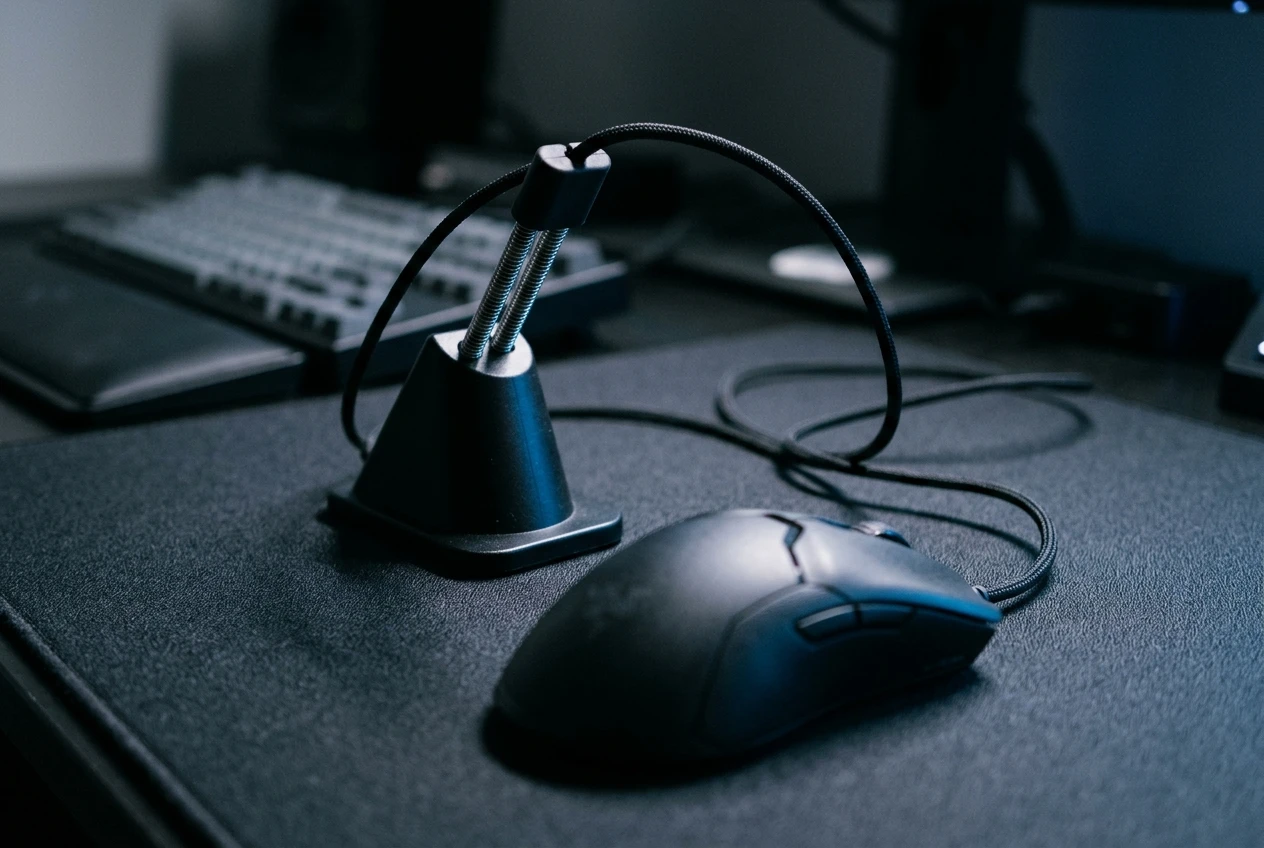
That is the whole job. It reduces friction and snagging from the cable, which matters most when you make fast, wide movements.
It does not make the mouse more accurate, replace a good sensor, or cure a mouse that feels heavy in the hand. A stiff, thick cable is still stiff when it is held in the air, and a bungee only changes where that stiffness pulls. It also does nothing for a mouse that is too big for your grip, or a mat with the wrong surface.
Three signs your cable is really costing you aim and comfort
Not every bit of cable noise is a problem. These three signs point to a cable that is actually interfering with how you play.
- The mouse gets yanked or stops short. In a fast flick or a big swipe back across the mat, you feel the cable catch and the cursor lands short or drifts.
- The cable catches on the desk edge, a mat edge or a cup. If you keep nudging it free with your other hand, or you have started shortening your movements to avoid it, the cable is shaping how you play.
- Your wrist or hand tenses against a pull. A cable that tugs the front of the mouse back constantly makes you grip harder to compensate. If you feel that, the cable is the cause.
If none of these sound familiar, the cable is probably not your problem, and your money is better spent elsewhere.
When you can skip it: wireless mice, soft cables and low-sensitivity play
Some setups simply do not need a bungee.
Wireless mice have no cable to manage. A bungee has nothing to hold, so skip it. If you use a wireless mouse with a charging cable, you can plug it in when the battery is low, but that is an occasional use rather than a reason to buy a stand.
A soft, flexible cable behaves differently. Many budget mice ship with a rubbery, stiff cable that holds its coil shape and drags. Others come with a fabric-covered or very flexible cable that lies flat and moves easily. If yours is the second kind, you may feel no drag at all, and a bungee adds a stand to your desk for nothing.
Low-sensitivity play uses big arm movements, but often at a slower speed. That puts more cable across the desk, though if your swipes are controlled and the cable is soft, it often does not catch. The problem tends to show up most with stiff cables combined with fast flicks. If your cable trails off the back of the mat without catching, you can probably leave it.
Free fixes to try before you buy anything
A few changes cost nothing and sometimes solve the problem outright.
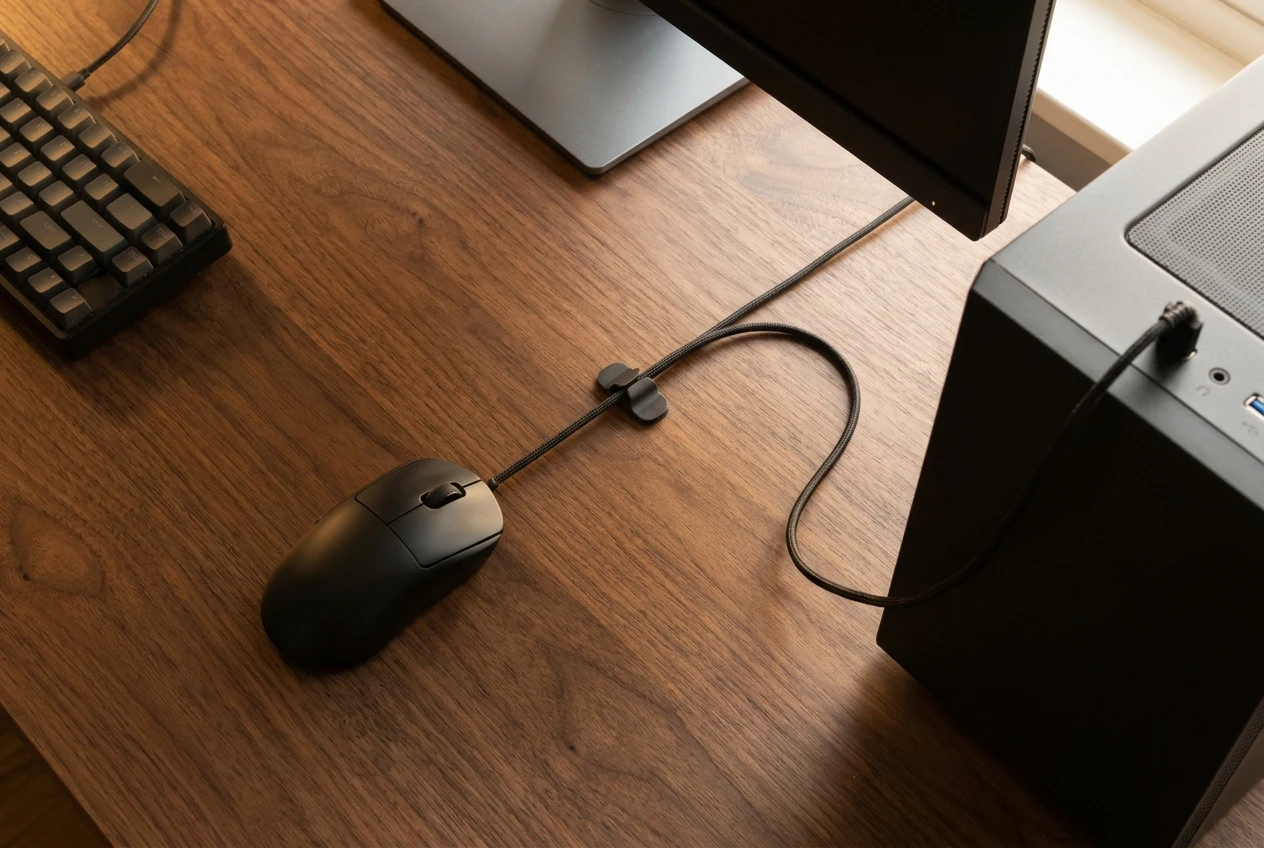
- Move the plug. If your PC sits under the desk or far to one side, the cable pulls at an awkward angle. Plugging into a front or side USB port, or a USB hub on the desk, shortens the run and puts the pull in a better direction.
- Straighten out the cable. Many cables hold a kink or coil from the packaging. Lay the cable out straight, or hang it loose for a while, so it stops springing back into a curve.
- Reduce the slack. Too much cable pooling on the desk adds drag, while too little pulls the mouse. Aim for just enough to move freely across the mat.
- Clear the path. Move cups, notebooks and other clutter off the area behind the mouse. If the cable catches on the mat edge, shifting the mat a little can help.
- Try a simple anchor. A clip or a bit of tape on the desk can hold the cable at a fixed point behind the mouse so the free section is shorter.
If you have done all this and the cable still drags or snags, that is when a bungee is worth buying.
What to look for in a budget bungee: weight, base grip, cable clip and desk footprint
Four things decide whether a cheap bungee works or just becomes another thing to knock over.
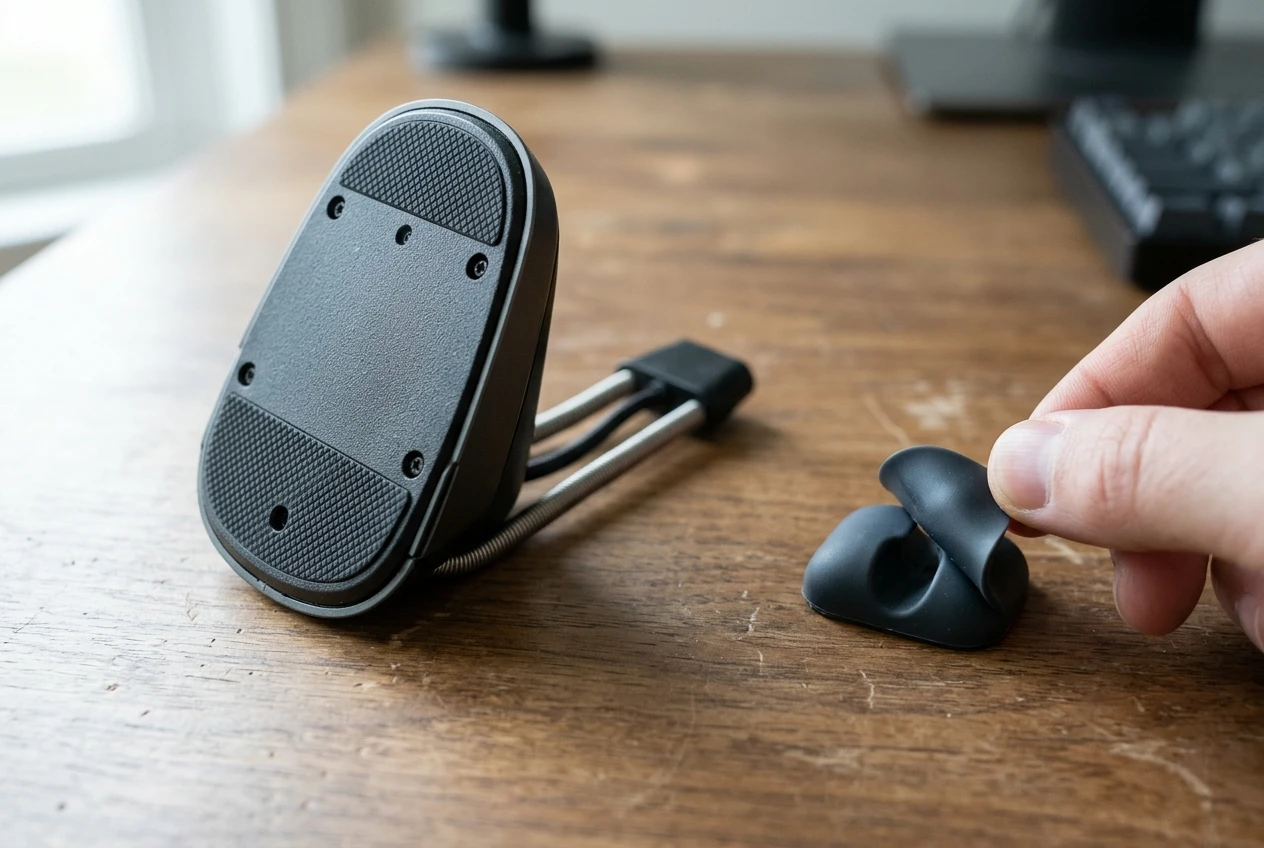
- Weight. A light bungee slides or tips when the cable pulls. A heavier base stays put. If the listing does not say the base is weighted, assume it may not be.
- Base grip. Look for a rubber or silicone underside. A hard, smooth base can creep across a desk, especially on a glossy surface.
- Cable clip. The clip should hold the cable firmly without pinching it, and be wide enough for a thicker cable if your mouse has one. A clip that is too tight can add friction, which is the thing you are trying to remove.
- Desk footprint. A bigger base is more stable but takes room behind your mouse. On a small desk, check the dimensions on the listing before you buy.
Also check how high the cable sits. The cable should rise gently to the clip and then to the mouse, so it is not pulling the front of the mouse upward.
The best budget mouse bungees to buy in the UK, picked by desk type
Some links on this page are affiliate links, which means the site may earn a small commission if you buy through them, at no extra cost to you. Prices change often, so check the current price in pounds on the Amazon UK listing before you decide. I have not listed prices here because they would go out of date quickly.
Small or crowded desk: a compact weighted bungee
If space behind the mouse is tight, choose a small bungee with a weighted base and a rubber underside. Check the footprint in the listing, and make sure the base is not so light that the cable pulls it over. The Razer Mouse Bungee V3 is a widely sold option in this category, and it is worth comparing against unbranded alternatives at a lower price.
Larger desk with a big mouse mat: a heavier, stable base
If you have room, a bungee with a larger base stays put better on a large mat or a slick desk. Stability matters most if you make wide swipes with a stiff cable. The BenQ Zowie Camade is another well-known name to look at here. Read the current listing for dimensions and compatibility with your cable thickness.
Slippery or glossy desk: base grip first
On a glossy desk, base grip matters more than anything else. Choose a bungee with a rubber or silicone underside and check reviews for people who mention it sliding. If the base does not hold, a small non-slip pad underneath can help.
Tightest budget: unbranded bungees
Generic bungees are sold under many names. They can work well, but quality varies, so read the reviews for comments about weight, clip tightness and base grip. If several reviewers say it tips or the clip pinches, skip it.
Bungee or wireless mouse: which is the better use of your £?
If the cable is your only problem, a bungee costs less than a new mouse. It solves the drag and snagging without changing the mouse you already like, and you keep the same shape, sensor and buttons.
A wireless mouse removes the cable entirely, but you take on batteries or charging, and you may need to replace a mouse that already suits your grip. Budget wireless mice can also be heavier or have different latency than a wired one, so check the specs and reviews before you switch. Our HyperX vs Razer budget gaming mouse comparison covers two common brands if you are weighing up a new mouse.
A reasonable rule: if you like your current mouse and the cable is the only complaint, try the free fixes, then a bungee. If you are unhappy with the mouse as well as the cable, put your money towards a better mouse instead.
Setting a bungee up so it helps instead of snagging
A bungee placed badly can create the snagging it was meant to fix. These adjustments make a difference.
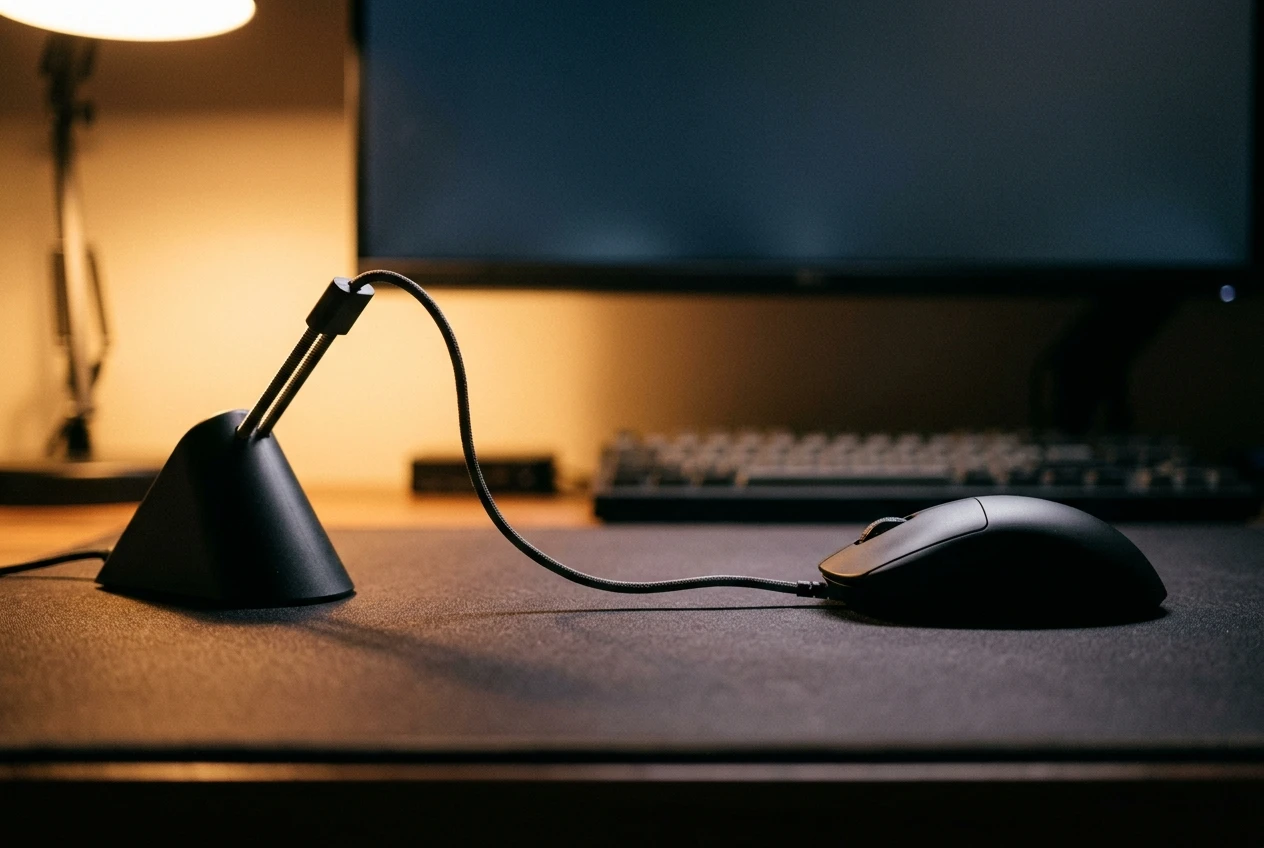
- Place it behind the mouse, in line with where the cable exits. The cable should come straight out of the mouse and rise to the clip without bending sharply.
- Leave enough slack between the clip and the mouse. If the cable is pulled tight, it drags the front of the mouse back. If it is too loose, it droops and catches the mat.
- Keep the clip height moderate. A very tall setup raises the angle and can pull the mouse upward during flicks.
- Check the base stays still. Give the cable a few firm tugs. If the base moves, add weight or a grip pad, or move it to a flatter spot on the desk.
- Test it with your fastest movements. Play a few minutes of your usual game, or flick quickly across the mat, and see whether the cable still catches. Adjust the position and slack until it moves freely.
Once the cable moves freely and the base stays put, you can leave it alone.
Check current prices in pounds on Amazon UK for the bungee that suits your desk, and if the cable is the real problem, see our guide to the best lightweight budget gaming mice.