
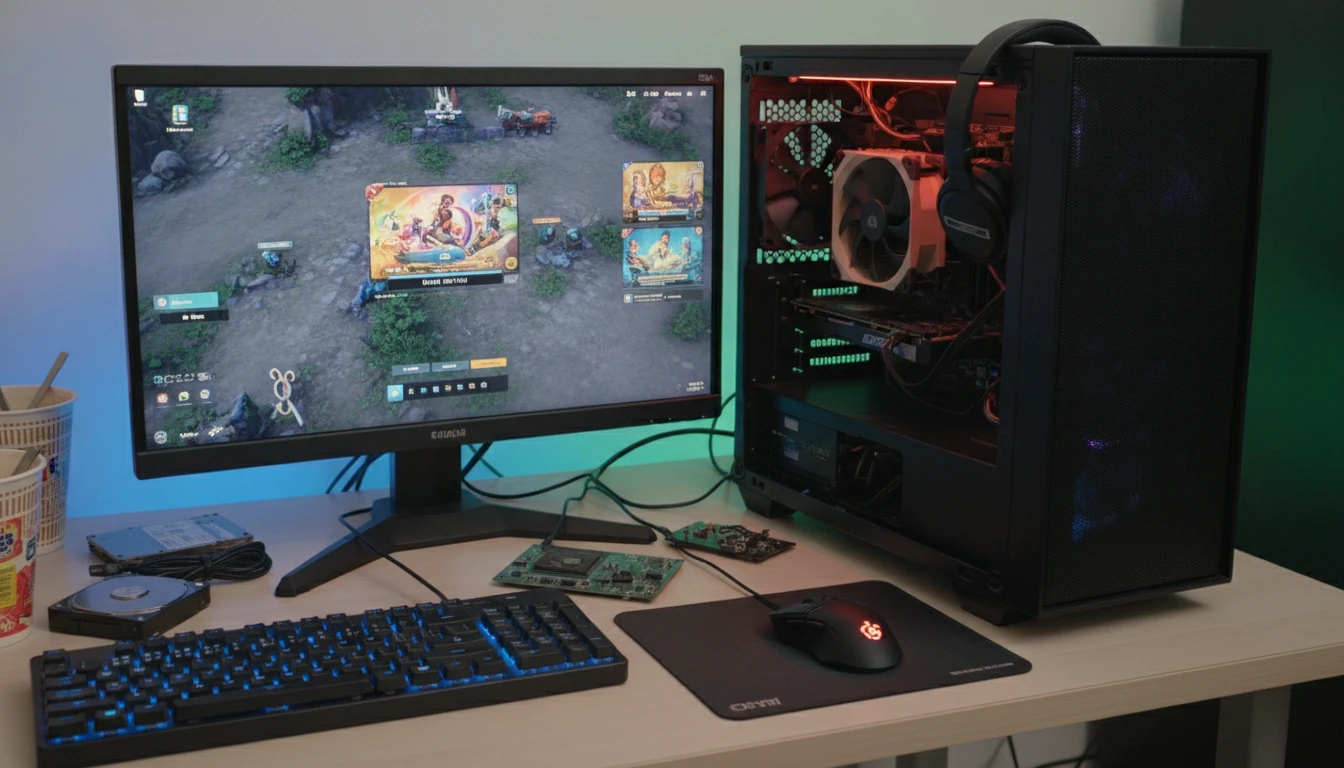
Welcome to my first blog post! Building a budget gaming PC can feel daunting, but smart planning allows you to run popular games smoothly without emptying your wallet. Over years of building budget rigs, I’ve learned some great tricks that make the process much easier for beginners. The system pictured here is my current PC, which I initially bought pre built due to high component costs and gradually upgraded over time.
How Budget Gaming Builds Took Off (And Why They’re Totally Doable)
While earning my HND diploma in computers in 2013 I surprised myself by successfully assembling a PC in just a few hours. Though the process is as simple as adding one part after another, the most daunting moment for any beginner is wondering if the system will actually turn on. Fortunately, modern tech channels offer excellent guidance, but protecting your components with an anti-static wristband remains an essential first step.
When building a budget gaming PC, always shop around or wait for major discount events like Black Friday and Amazon Prime Day. You don’t need the latest high end technology to get great performance, as modern budget components are highly capable.
Because many popular indie and esports titles are designed to run beautifully on entry level hardware, you can focus your money where it matters most and still get surprising performance. If you want the absolute best, simply buy what your current budget allows and upgrade over time, just like the £300 Asus ROG I bought that and smoothly runs Metal Gear Sold: Snake Delta smoothly.
Core Components: Where Your Money Really Matters
When I help friends put together a cheap but capable gaming PC I always focus on the parts that make the biggest difference in actual gaming. Some things are totally worth paying more for.
-
CPU (Processor): A modern budget CPU like an AMD Ryzen 3/5 or Intel Core i3/i5 is plenty for gaming, as performance depends far more on your graphics card.
-
GPU (Graphics Card): This does the heavy visual lifting; entry-level cards like the NVIDIA GTX 1650/1660 or AMD Radeon RX 6500 XT deliver great 1080p performance, especially if bought used.
-
RAM (Memory): 16GB of standard DDR4 (2666MHz or 3200MHz) is the ideal sweet spot for modern gaming, though you can start with 8GB and easily upgrade later.
-
Storage: A 256GB or 512GB SSD is essential for fast load times; you can always add a cheap hard drive later for extra space.
-
Motherboard: Keep it simple and skip expensive bells and whistles just find a basic board that matches your CPU socket and has at least two RAM slots.
A Step by Step Walkthrough: How I Assemble Budget Builds
I always follow a simple checklist when building a PC, mostly because missing a step means more headaches down the line.
-
List Your Games: Check the online recommended specs for the games you want to play so you know which components to prioritize.
-
Set a Strict Budget: Write down your maximum budget and subtract at least £50 for unexpected extras, tools, or replacement parts.
-
Prioritize GPU and CPU: Allocate most of your cash to these two performance-driving parts, leaning heavier toward the graphics card.
-
Shop and Compare Online: Compare prices on sites like Amazon, eBay, or Vinted (where I found my brand new ROG) to find the best deals.
-
Check Compatibility: Use free tools like PCPartPicker.com to ensure all your chosen components work together seamlessly.
-
Buy Only Essentials Now: Focus entirely on getting a stable, running machine first; you can always add more RAM, storage, or nicer fans later.
Common Traps Budget Builders Run Into (And How to Dodge Them)
Getting the best value for your money means avoiding a few classic mistakes. I’ve seen a bunch of first time buyers waste money where they didn’t need to, so here’s what to watch for:
-
Overspending on the Case: Avoid flashy RGB and tempered glass; a basic case works fine as long as everything fits and airflow isn’t blocked.
-
Cheap Power Supplies: Never compromise on power quality; grab a reliable 450–550W unit from a reputable brand like Corsair, EVGA, or Seasonic to safely support future upgrades.
-
Forgetting the Operating System: Remember that Windows costs money, though you can run it unactivated initially or use Linux with Steam Proton for gaming.
-
Buying Incompatible Parts: Double-check compatibility before buying, as mixing older CPUs and motherboards can trigger frustrating BIOS update requirements.
Graphics Card Shortages and How to Get Around Them
If high graphics card prices ever make building a new PC difficult, you can pivot to buying used parts, using modern APUs with built-in graphics, or purchasing a pre-built system to gradually upgrade later. No matter which route you choose, retailers always list the specific hardware specifications online or in-store so you know exactly what is under the hood before buying.
Saving Cash on Peripherals, Monitors, and Extras
You don’t have to buy a stack of fancy gear on day one. Grab a cheap keyboard and mouse (wired ones are usually better for gaming anyway). For displays, a used 1080p monitor does the trick; no need for 144Hz or higher resolutions unless you find a steal.
Tips To Take Up A Notch Your Budget Gaming Rig (Without Spending Big)
Once your system is up and running, a few tweaks go a long way in getting better game performance; sometimes for free.
-
Overclock Carefully: Follow hardware-specific guides to safely squeeze extra speed out of budget CPUs and GPUs.
-
Clean Your PC: Keep fans and vents clear of dust to prevent overheating and extend your components’ lifespan.
-
Update Drivers: Regularly update your graphics drivers for free performance gains and better framerates in new titles.
-
Optimize In-Game Settings: Lower heavy individual settings like shadows and post-processing to drastically improve gameplay smoothness.
-
Resist Instant Upgrades: Stick with your current setup for a while and keep expectations realistic; tweaking settings goes a long way.
FAQs: Quick Answers for Budget PC Builders
Question: Can I build a gaming PC for under £500?
Answer: Yes! If you aim for used or last gen parts and skip top tier features, £500 covers a basic tower that handles 1080p gaming in many modern titles, especially esports games like Fortnite, Rocket League, or Valorant. Note that used hardware and patience help make this budget realistic.
Question: Do I really need a graphics card to game?
Answer: Not always. Some modern AMD APUs and Intel CPUs have builtin graphics that run lighter or older games. For big AAA games, though, you’ll want a dedicated GPU eventually, but you can still start gaming without one.
Question: Is building a PC from scratch hard?
Answer: It seems intimidating, but with online guides and a bit of patience, it’s totally possible even for complete beginners. Double check compatibility, watch a few YouTube tutorials, and don’t rush the process. It’s kind of like building with high tech LEGO.
Kickstarting Your Budget Gaming Adventure
Piecing together a gaming PC on a tight budget feels pretty rewarding, especially when you fire up your first game and see it all working. I love seeing people get the most gaming enjoyment for their money because it means more people can enjoy the hobby. Start small build over time, and remember that upgrading later is always an option. Gaming is all about having fun, and with a smart budget PC, you’re already winning.