
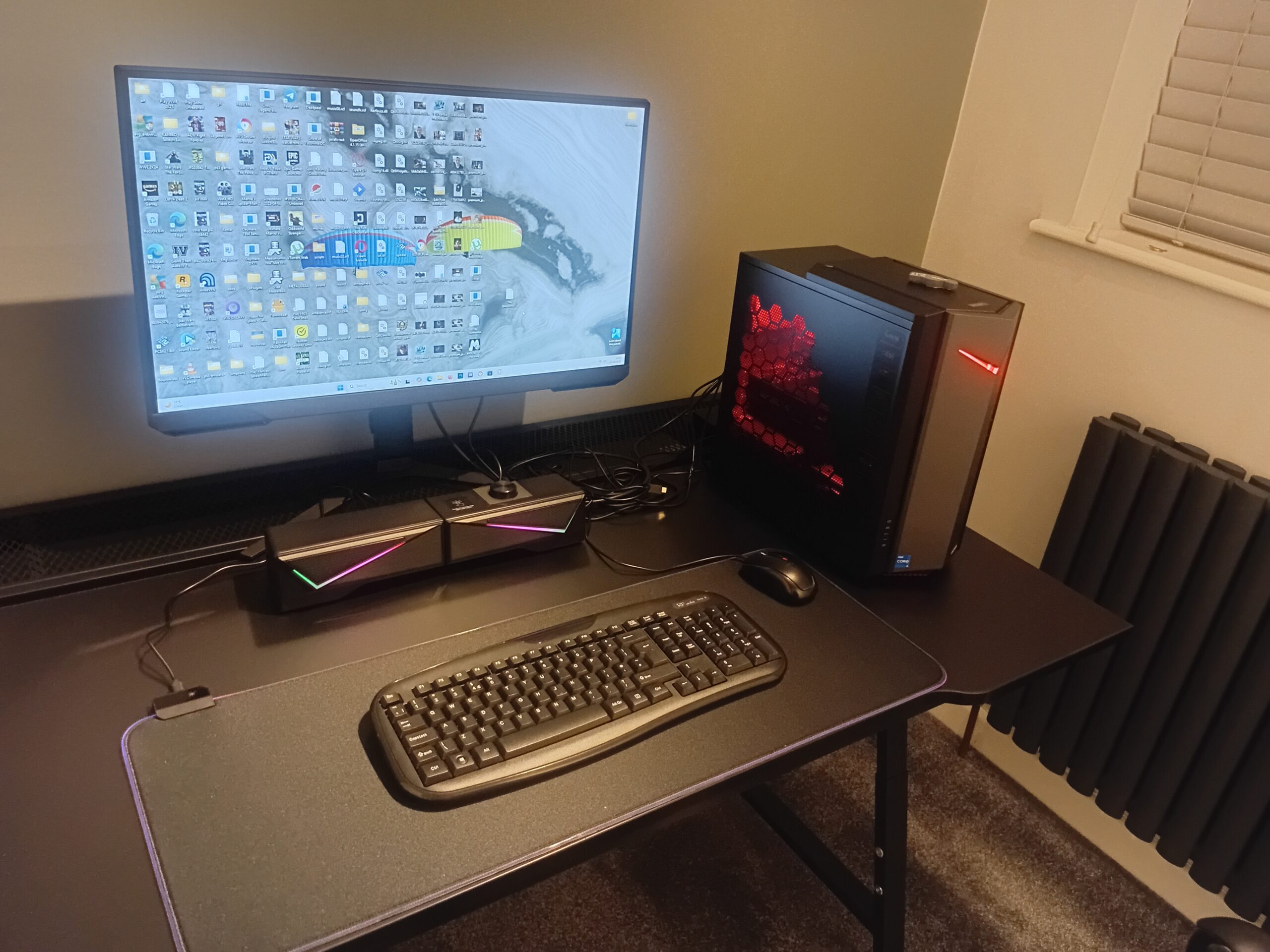
Hello, and welcome to another post. Today I want to talk about budget gaming setups. With smart planning, money saved and a clear sense of priorities, you can forge a solid gaming station without draining your wallet. Whether you’re aiming for smooth multiplayer matches or immerse yourself in single player adventures, you’ll get the most fun for your money by focusing on the parts that matter most. I’m sharing my personal approach, along with tips I’ve picked up from years of hunting deals and tinkering with hardware.
Core Components for a Budget Gaming Setup
The heart of any gaming setup is the PC or console, but peripherals and the environment make a big impact on your experience too. Getting started involves picking gear that offers the best performance for your price range, not just what’s cheapest.
Here’s a quick rundown of what I look for when putting together a budget friendly gaming rig:
- CPU (Processor): For most budget builds, I aim for a midrange or last generation processor like Intel Core i3/i5 or AMD Ryzen 3/5. These hit a sweet spot for gaming performance while keeping costs down.
- GPU (Graphics Card): The graphics card is usually the priciest part. Cards like the NVIDIA GTX 1650 or AMD Radeon RX 6500 XT handle games at 1080p pretty well, and you’ll often find deals on refurbished or used models.
- RAM: I wouldn’t go below 16GB these days. It helps avoid slowdowns, especially if you’re running Discord or Chrome in the background while gaming.
- Storage: A 500GB SSD will speed up load times hugely over an old hard drive. I like to add an extra HDD later if I need more space.
Setting a Realistic Budget
A good budget for a gaming setup honestly depends on what you want to play and how much you’re willing to compromise on graphics settings. For new gear, most folks can expect to spend anywhere from $500 to $900 for a full entry level PC setup (not counting things like a chair or headset). Here’s how I usually break it down:
- PC parts: $400 – $700
- Monitor: $100 – $150
- Keyboard and mouse: $30 – $60 (combo kits are usually cheaper)
- Headset or speakers: $20 – $50
If you already have some of these, like a monitor or old keyboard lying around, you can cut the cost down further.
Is It Cheaper to Build or Buy?
Building your own gaming PC often works out cheaper, and you have way more say in what you get. The main benefit with prebuilt systems is ease. You just plug it in and go, and there’s a warranty if something breaks.
If you’re new to building, there are loads of video guides out there. Most parts these days just snap into place, making installation a breeze for newcomers.
Tips On Scoring the Best Deals for Your Gaming Setup
Squeezing the most out of your budget comes down to patience and research. Here’s how I manage to save a good chunk whenever I build a setup:
- Wait for Big Sales: Black Friday, Prime Day, are often the best times to buy. Even waiting a couple months can save you serious cash.
- Don’t Overlook Used or Refurbished Gear: Certified refurbished monitors, gently used graphics cards, or open box peripherals from reputable sources can be a lifesaver for tight budgets.
- DIY Where You Can: Building the PC yourself and assembling your own desk setup saves on assembly and delivery costs that prebuilt shops sometimes charge.
If you want to maximize savings, keep an eye on local classified ads like Facebook Marketplace. Sometimes, local sellers or gamers are looking to upgrade and will part with their current hardware at a steep discount. Just make sure to check the item in person when possible. You can also ask about warranties or returns, especially for used items.
Peripherals That Don’t Break the Bank
Picking decent peripherals is really important for comfort and gameplay, even on a budget. Here’s what works for me without overspending:
- Monitor: A 1080p, 60Hz monitor is enough for entry level gaming. I look for something between 21” and 24” with an IPS panel for good colours.
- Keyboard and Mouse: Combo kits from Logitech or Red dragon are popular and affordable. Mechanical switches are nice but not necessary at first.
- Headset or Speakers: Any headset with a mic does the trick for online gaming. You don’t need expensive “gaming” branding. Even office headsets work fine for voice chat. You can always upgrade later
It’s also worth mentioning that some brands frequently run bundle deals, where you can get matching headsets, mousepads, or other accessories at a lower combined cost than buying them separately. Double check the reviews, but these bundles often offer great starter gear to get you going for under $50.
Optimizing Your Gaming Space
Even with a small budget, creating a nice atmosphere can make long gaming sessions feel way better. I stick to these basics:
- Pick the Right Chair: A simple, comfy office chair is way better for your back than a plastic one.
- Desk Setup: Any sturdy table or small desk can work. If you’re short on space, look for foldout or corner desks.
- Lighting: LED strips are cheap, add a cool vibe, and make your desk look tidy at night.
- Organization: Cable clips or zip ties keep things neat, so no cables dangle underfoot or across your mouse area.
Personal touches like posters or a small plant can make your gaming zone feel more inviting. Adding a soft desk mat or wrist rest is a nice comfort upgrade. Keeping your gaming area tidy and organized means you’ll spend less time fixing issues and more time having fun.
Challenges and Solutions for Budget Gaming Builds
I’ve run into a couple issues setting up budget rigs, but with a little creativity there’s usually a way around them. Here’s what I usually bump into and how I handle it:
- Graphics Card Prices: Prices can still be unpredictable, especially during shortages. I sometimes use older or integrated graphics if I need to, and upgrade when deals pop up.
- Compatibility: Doublechecking things like RAM speed, motherboard sockets, and GPU case clearance helps avoid buying parts that don’t fit together.
- Power Supplies: Going for cheap, unbranded power supplies backfires fast. I only grab power supplies from known brands like EVGA or Corsair. Even at entry levels, it’s worth paying a little extra for reliability.
Handy Upgrade Paths for the Future
A good budget gaming setup isn’t just about the initial spend. It’s also about making upgrades later on without needing to start over. Here’s how I plan ahead:
- Leave Room in the Case: Pick a case with a bit of extra space for larger GPUs, extra drives, or better fans.
- Modular Upgrades: I buy a motherboard/CPU combo that supports future CPUs or faster RAM, so when I’ve saved up, it’s easy to slot in a better part.
Hope this post helped you and comment below how it went for you. I’m always interested in a good gaming setup build.
Frequently Asked Questions
How can I make my gaming setup as affordable as possible?
Planning ahead, shopping around, and waiting for big sales saves a ton. Buying used or refurbished parts and skipping overpriced “gaming” brands wherever you can keeps costs lower.
What’s the lowest realistic budget for getting into PC gaming?
Using mostly used or refurbished parts, it’s possible to get into PC gaming (including monitor and accessories) for around $400–$500. This satisfies most games at medium settings and 1080p.
Why is it so much cheaper to build a gaming PC yourself?
You pick only the parts you really need, shop from different sellers for the best price on each part, and skip the extra markup that comes with prebuilt systems.
Is it okay to buy used PC parts?
Used parts can save a lot, especially with GPUs and monitors. Just buy from reputable sellers, check reviews, and always verify return or warranty policies in case something doesn’t work out.
Final Thoughts on Building a Budget Gaming Setup
With some planning and patience, anyone can create a fun and reliable gaming setup on a budget. Knowing where to save, and where to splurge just a bit, means you can play all the best games without missing out. Staying flexible, grabbing deals, and making gradual upgrades is the most realistic route to a setup you’re proud of. If you’re just starting out, don’t stress about having the flashiest gear; the best gaming happens when you’re having fun and not worrying about specs!