
If you’re interested in gaming and considering a new keyboard, membrane keyboards may be high on your list. They’re usually more affordable, easier to find, and the default choice with most prebuilt systems. But do membrane keyboards work well for gaming, or should you head right for mechanical models? I’m breaking down the pros, the downsides, and the latency issue so you’ll know just what to expect if you decide to game with a membrane keyboard. Also if you are in the market for a new mouse check this post out. I go through some of the best lightweight gaming mice on the market today. And if you are just starting out and picking what you need you should checkout my how to build a budget gaming setup.
What Are Membrane Keyboards and How Do They Work?
Membrane keyboards use a flexible pressure sensitive sheet, or membrane, that sits beneath the keycaps. When you press a key, you push the top layer until it touches the bottom layer to complete a circuit, which then sends an input to your computer. They’re much quieter than mechanical boards.
Most office and entry-level keyboards rely on this membrane design. These are also the mainstay in budget builds, but you’ll see the same tech in a number of inexpensive gaming keyboards. Some manufacturers add extra features like RGB lighting or onboard media controls to make these affordable keyboards more appealing to gamers who don’t want to spend alot of money
Membrane Keyboards for Gaming: What to Expect
Plenty of casual and even some serious gamers continue to use them. Here’s what you can expect:
- Soft & Quiet: They’re much quieter than mechanical keyboards, which is handy if you’re gaming in shared spaces or want your streams to be lower in background noise.
- Affordable: Most membrane keyboards cost only a fraction of what mechanical ones do. If you’re dipping your toes into PC gaming or want something less pricey, this is the route for you.
- Not Customizable: You won’t find the same options for switching out keycaps or customizing switch feel, but that’s fine if you’re mainly gaming for fun or just starting out.
If your aim is to have a keyboard that handles both gaming and work without putting too much strain on your wallet, a membrane model offers what you need in one package.
The Pros of Membrane Keyboards for Gaming
Membrane keyboards have several practical benefits, especially for gamers who want to keep things affordable. Here’s why they’re worth considering:
- Wallet Friendly: Most membrane options run much cheaper than mechanical alternatives. This is huge for beginners or anyone who simply needs a spare keyboard for LAN parties or travel.
- Quiet Typing: Unlike clicky mechanical switches, membrane keyboards are ideal for gaming at night or living with roommates. The reduced sound helps you keep peace with those nearby.
- Lightweight Design: They’re easy to move from one room to another and ideal for cramped setups where space is a premium.
- More Spill Resistant: A number of budget models now come with water resistance, providing peace of mind for snacking or drinking while you play.
Some membrane boards also come with useful extras like integrated wrist rests or shortcut buttons that further increase their value for gamers.
The Cons of Membrane Keyboards (And Why Gamers Notice)
Of course, membrane keyboards have their limits, which become more obvious if you play games that demand quick reactions or long, intense sessions:
- Typing Feel: The keys feel softer and don’t provide crisp feedback. It’s sometimes hard to know if you’ve registered a keystroke, which can lead to mistakes in fast action games.
- Lower Durability: Most membrane boards have a shorter lifespan than their mechanical counterparts. Over time, the membrane itself can wear down, causing keys to lose their responsiveness.
- Ghosting and Rollover Issues: With inexpensive models, you might run into a cap on how many keys you can press at once. A problem in genres like fighting or rhythm games that require multiple simultaneous inputs. While many gaming targeted membrane keyboards address this, it’s something to watch for.
For occasional gamers or those who favour less demanding titles, these drawbacks won’t pose much of an issue. But if you’re planning long nights or want that snappy, reliable feedback, you’ll find these factors worth a second thought.
Latency: Do Membrane Keyboards Slow You Down?
Input latency – the delay between you pressing a key and seeing your move on screen is a key consideration when gaming.
On nearly every modern membrane keyboard, there’s little difference in latency versus a mechanical keyboard. Unless you’re competing at the top tier in esports or ultra-fast shooters, you’re unlikely to feel a real world difference. For typical story driven games, strategies, or even most shooters, response times from most reputable membrane models are more than adequate.
Reading product reviews can help you spot patterns of lag complaints. When aiming for the best response, stick with well known brands and confirmed good polling rates these key factors do more for speed than the underlying switch type.
If you do want to push every possible millisecond, or aspire to competitive gaming, mechanical keyboards may offer a slight edge, but the difference is rarely game changing for everyday players.
Do Gamers Actually Prefer Membrane or Mechanical Keyboards?
Gamers often prefer mechanical keyboards, and it’s easy to see why:
- Stronger feedback and a more responsive feel
- Wide variety of switches to suit different preferences
- Customizable keycaps and lighting
- A consistent press that’s ideal for rapid inputs
- Durable builds designed to last through years of play
Who Should Pick a Membrane Keyboard for Gaming?
Membrane keyboards remain a smart pick for these types of users:
- Budget Focused Builds: If saving cash is the goal, you can put more money into core gear like your GPU or monitor and pick up an inexpensive membrane keyboard complete with lighting or anti ghosting features.
- Shared and Quiet Spaces: For living rooms, or bedrooms, the softer keypresses make gaming less intrusive late at night.
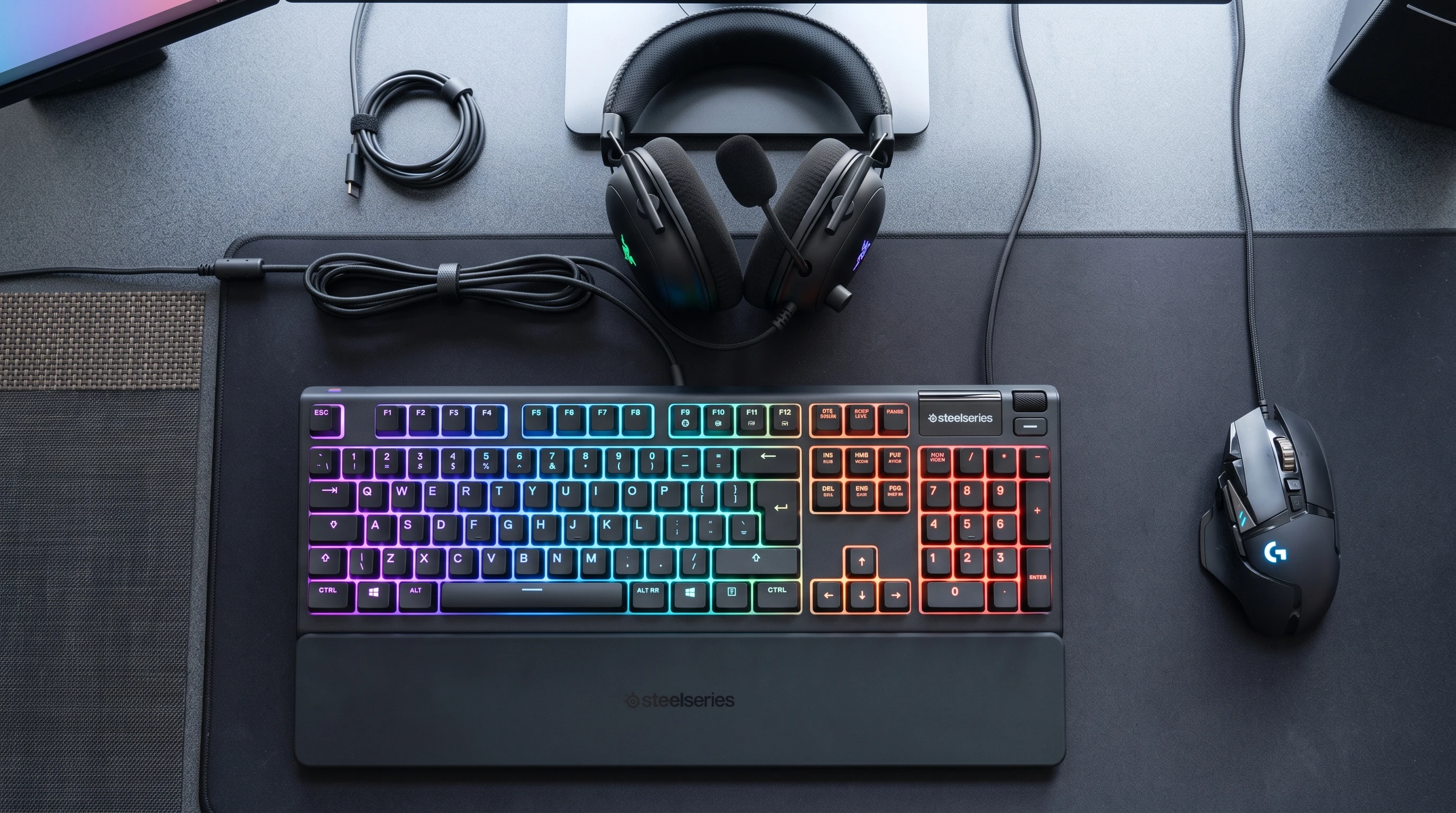
- First Time Gamers or Younger Players: Buying a first setup for a child or as a secondary keyboard? Membrane makes practical sense, both for budget and durability in less demanding play. I’m actually in the market for a new keyboard and researching this I will definitely consider a membrane keyboard. A couple of good ones I have seen is the Rii RK202 Gaming Keyboard has everything you would expect spill resistance, rgb lights, very good reviews and you can even put your phone in so even has a phone holder. For the price you are getting bang for your buck. If your budget is abit more the SteelSeries Apex 3 TKL is water and dust resistance., more premium and still affordable for your setup as well.
Common Questions About Membrane Keyboards and Gaming
Is a membrane keyboard OK for gaming?
Definitely., they work perfectly well for most gamers.
Why do people say membrane keyboards are slower?
It’s mostly because the keystroke feels less instant due to softer keys, not because the response time is actually much slower. Quality models send signals at nearly the same speed as mechanicals; just avoid poorly made generic options.
Are membrane keyboards worse for first person shooters?
If you’re hunting for the highest possible key reset speed and sharper tactile feedback, mechanical might edge ahead. But for more casual play or non-competitive shooters, membrane holds its own in favourites like Fortnite and Apex Legends.
What to Look for When Shopping for a Gaming Membrane Keyboard
Certain features help you get more from a membrane keyboard when gaming:
- Anti-Ghosting & Key Rollover Support: Find these in the specs to avoid dropped inputs during fast combinations.
- Spill Protection: For those who snack or drink while gaming, keyboard spill resistance can be a major lifesaver.
- Lighting Features: RGB is more than just flair, solid backlight helps you locate keys easily in low light and adds to the whole gaming atmosphere.
- Media Shortcuts: Onboard controls for music or volume let you adjust settings on the fly without leaving your game.
Choosing reputable brands boosts your odds of getting low-latency and durable keys. User reviews are an excellent place to track down red flags or standout features from real gamers, so it pays to scan a few before you buy.
Membrane keyboards are a practical, affordable way to get started with gaming. They’re quiet, rarely require a big investment, and can handle most gaming needs. If you want maximum performance or crave deep customization, mechanical remains the popular pick, but there’s nothing stopping you from racking up wins and enjoying your games on a solid membrane keyboard. It all boils down to what fits your setup, play style, and budget best.