
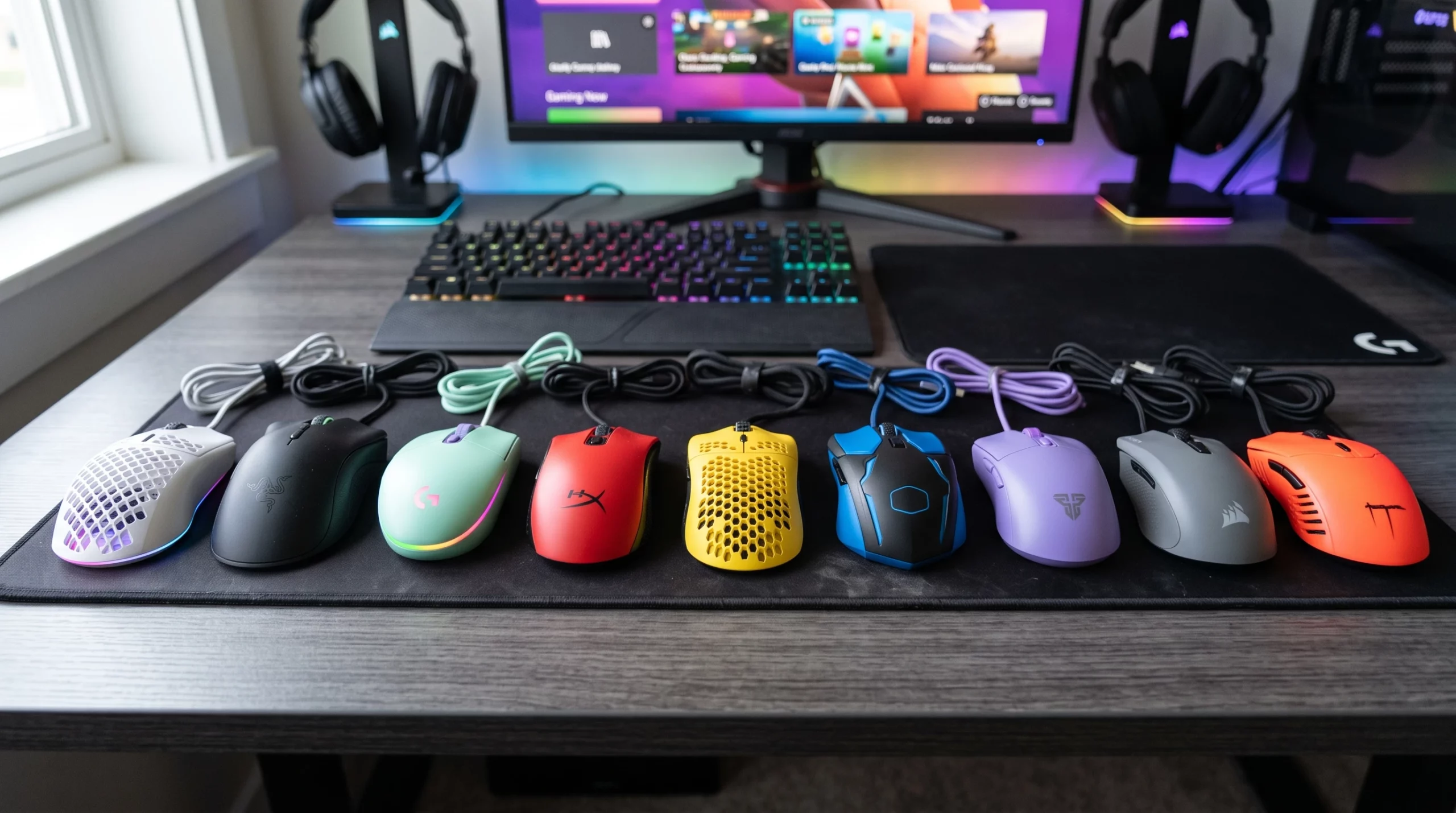
Lightweight gaming mice don’t just look cool they’re a legit upgrade for pretty much any gamer who cares about speed, accuracy, or avoiding hand cramps during a long session. For those working with a budget, finding one that matches the big names in feel and performance can feel a bit overwhelming. I’ve spent plenty of time testing and reading up on what’s worth your money, so if you’re after the best lightweight budget gaming mice, you’re in the right spot.
What Makes a Gaming Mouse Lightweight and Why Does It Matter?
The term “lightweight” usually means a mouse that comes in well under 80 grams, with some going as low as 50 grams. For fast paced games (like competitive shooters), a lighter mouse is easier to move quickly, giving you a slight edge when reaction time is key. Plus, it’s just comfier for long hours. Most lightweight gaming mice get this way by using honeycomb shells, smaller PCBs, and lighter materials in general.
The lighter feel is great for those who flick their wrists a lot or prefer quick, snappy movements. But it’s not just about FPS esports, lightweight mice work well for just about any genre and are super popular right now whether you’re gaming, working, or doing both from the same setup.
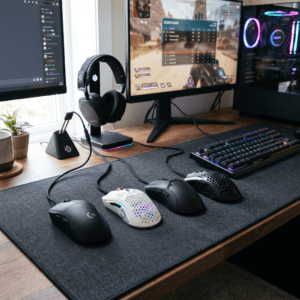
How to Choose the Best Lightweight Budget Gaming Mouse
Price and weight matter, but so do shape, sensor quality, and whether you want wireless freedom or a traditional wired experience. Here’s what I usually look for when picking one out:
- Weight: Look for mice under 80 grams for that featherlight feel. Superlight options run as low as 55g.
- 2 Of my picks A Logitech G G305 LIGHTSPEED Wireless Gaming Mouse or for something half the price just as good is the T66 PC Gaming Mouse and is pretty reliable for budget mice. Even has RGB lights which would go well if you have RGB in your setup like me. But the price difference is because of the branding.
- Switches: Crisp, reliable clicks feel good and help with control.
- Wired vs Wireless: Wireless mice used to lag, but these days the difference is pretty much non-existent, even on a budget. I prefer wireless and the the 2 I recommended are both wireless. Less cable less mess.
- Budget: There are great options for any budget and even some solid picks under $50 if you dig around.
- Wrist Rest Pad: Gaming long hours or even using your mouse for long hours I recommend a wrist rest pad. Nice cushion for your wrist when you get your gaming on. Here are a couple I recommend and are fairly priced. The BRILA Ergonomic Memory Foam Mouse Wrist Pad and the TECKNET Mouse Mat Wrist Support, Mouse Pad with Memory Foam and at time of writing this up the Tecknet has a discount so you can get it even cheaper!
Top Lightweight Budget Gaming Mice Worth Checking Out (Under $100)
Plenty of brands claim their mouse is both affordable and lightweight, but some just do it better, especially when balancing price and actual gaming performance. These mice all come in under $100, and I’ve seen them pop up in Reddit threads and reviews all the time because they really deliver for their price range.
- Logitech G203 LIGHTSYNC Gaming Mouse
The Logitech G203 LIGHTSYNC Gaming Mouse is one of the best budget gaming mice for PC gamers, offering exceptional performance at an affordable price. Featuring an accurate 8,000 DPI gaming sensor, customizable LIGHTSYNC RGB lighting, and responsive mechanical buttons, it delivers smooth, precise control for FPS, MOBA, and everyday gaming. Its lightweight, comfortable design makes it ideal for long gaming sessions, while Logitech’s trusted build quality ensures lasting durability. If you’re looking for a cheap gaming mouse, RGB gaming mouse, or a high-performance wired gaming mouse without breaking the bank, the Logitech G203 LIGHTSYNC is an excellent choice. - Razer DeathAdder Essential
The Razer DeathAdder Essential is a top rated budget gaming mouse designed for precision, comfort, and reliability. Equipped with a high-performance 6,400 DPI optical sensor, durable mechanical switches, and an ergonomic right-handed design, it delivers accurate tracking and responsive clicks for FPS, MOBA, and competitive PC gaming. Its lightweight build ensures comfort during extended gaming sessions, making it a popular choice among casual and competitive gamers alike. If you’re searching for an affordable wired gaming mouse, ergonomic gaming mouse, or a high-quality gaming mouse with trusted Razer performance, the DeathAdder Essential offers outstanding value for money. - Logitech G502 HERO High Performance Wired Gaming Mouse
The Logitech G502 HERO High Performance Wired Gaming Mouse is a premium wired gaming mouse built for speed, precision, and customization. Powered by the advanced HERO 25K optical sensor, it delivers ultra-accurate tracking and exceptional responsiveness for FPS, MMO, and competitive PC gaming. With 11 programmable buttons, customizable weight tuning, and adjustable RGB LIGHTSYNC lighting, the G502 HERO is ideal for gamers who want maximum control and performance. If you’re looking for a high-performance gaming mouse, gaming mouse for PC, or a customizable gaming mouse that offers outstanding value and reliability, the Logitech G502 HERO is an excellent choice. And I’m going to upgrade my mouse because I like that you can customise it, I might pick this up. - ATTACK SHARK X11 SE Wireless Gaming Mouse
The Attack Shark X11 SE Wireless Gaming Mouse is a lightweight wireless gaming mouse designed for fast, precise performance and exceptional value. Featuring a high-precision optical sensor, low-latency wireless connectivity, and an ergonomic design, it delivers smooth, accurate tracking for FPS, MOBA, and competitive PC gaming. It’s rechargeable battery and lightweight construction provide comfort during long gaming sessions, while customizable DPI settings allow you to fine-tune sensitivity for different games.

Cable vs Wireless: What’s Better for Lightweight Gaming?
Wireless mice have come a long way, and if you like a really minimal desk, you’ll appreciate being cable free. Most modern wireless gaming mice have almost no input lag, even the more affordable models. Battery life is also getting better, and takes awhile to recharge or put new batteries in.
Extra Features that Make Budget Gaming Mice More Appealing
It’s not just about being light. Certain extras just take a mouse from decent to genuinely fun to use. Here are a few things I look for and why they’re pretty useful even on a budget:
- Flexible Paracord Cables: Some wired models now use really soft, almost drag free braided cables, which make the mouse feel almost wireless. Tangled hard cables are a thing of the past on newer models.
- PTFE Feet: Skates made out of PTFE let your mouse slide smoothly and help with consistent flicks. If you play on a hardpad or glass surface, these can actually outlast regular plastic feet and deliver smoother aim.
- Customizable DPI and RGB: Not just for show being able to fine tune your DPI to your liking helps with accuracy. Some mice let you set DPI straight from a button underneath, meaning you can adjust sensitivity on the fly between games.
- Swappable Shells or Buttons: Rare at the budget end but sometimes available, giving you more fitting options for your grip or hand size. Modular designs are trending, even among affordable models, and sometimes let you play around with textures and feel.
Common Questions About Lightweight Budget Gaming Mice
There are a few things that keep coming up in forums and on Reddit, so it’s worth covering them here too.
Q: Does a lighter mouse make you a better gamer?
A: It can help with speed and fatigue, especially if you use low sensitivity settings or play a lot of FPS, but the best mouse is the one that feels right for your hand and grip. Your skill and muscle memory matter more than a few grams, but comfort and quick movement do help long term.
Q: Are honeycomb shells comfy or awkward?
A: Most people get used to them quickly, but if you sweat a lot or hate the feeling of gaps, you may want a solid shell design instead. I’ve had both and didn’t mind the honeycomb look or feel after a few sessions.
Q: Do budget gaming mice hold up over time?
A: If you go with a reputable brand, yes. The switches, cable, and shell matter more than the price tag in most cases. Buying from trusted sellers and checking warranty details can save headaches down the line. Some budget models even offer switch replacements or repair-friendly builds, which is another bonus if you want something to last.
Q: What’s the best lightweight budget wireless mouse?
A: In my experience, the Logitech G305 and SteelSeries Rival 3 Wireless are awesome picks. They’re both under $60 on sale, have great sensors, and you don’t have to mess with tangled cables. Each is usually backed by a solid warranty, so you can game hard without worry.
Personal Experience: Finding the Right Balance
I’ve bounced between featherlight mice like the Glorious Model O and slightly heavier options like the Logitech G203. The difference is definitely noticeable; less fatigue with the lighter mouse during long play sessions, but a little more stability with the heavier one during slow, controlled sniping in games. If you can, try out different weights in person at a store or order from a place where returns are easy, just to see what fits best. A mouse can look awesome on paper but might feel awkward depending on your grip or hand size. Also, some mouse pads pair better with lightweight mice, so if you’re still searching for comfort, it could be worthwhile to mix and match a bit.
Lightweight budget gaming mice make it way more accessible to have prostyle gear without dropping serious cash. Whether you’re aiming for leader boards or just want to feel more in control during late-night sessions, there’s probably a mouse out there that’s a perfect fit. With the tech improving year after year, even gamers on a budget can get into some next level cool gear without compromise. Gaming mice are now built for everyone, not just streamers or the pros. Whichever you pick, keep having fun out there and may your clicks and flicks always land true!