
Most first time buyers compare keyboards by RGB lighting, keycap style and layout. The switch under each key matters more than any of those, because it decides how every keypress feels and sounds. Lighting can be switched off and keycaps can be replaced later, but a switch you dislike will annoy you every time you play.
This guide covers mechanical keyboard switches explained by feel and sound, in the order you will meet them on a product page: linear, tactile and clicky. Each one is matched to the sort of buyer it suits.
Why the switch matters more than RGB or keycaps
A mechanical keyboard has an individual switch under every key. Press a key and the switch registers the input, and the way it does that creates the feel. Some switches slide down smoothly, some give a small bump partway down, and some make a loud click.
Three things change between switch types:
- Feel: whether the key travels smoothly or you feel a bump.
- Sound: whether the key is quiet, muted or audibly clicky.
- Fatigue: how your fingers feel after a long session, which depends on your own preference and not on any single “best” option.
Keycaps are the plastic tops you see and touch. They change the look and a little of the sound, but you can swap them later. The switch is harder to change, so it is the first decision to get right.
Linear switches: smooth and quiet-ish, and why gamers reach for them
A linear switch has no bump and no click. The key goes straight down when you press it and straight back up when you release it. The feel is smooth and consistent from the top of the press to the bottom.
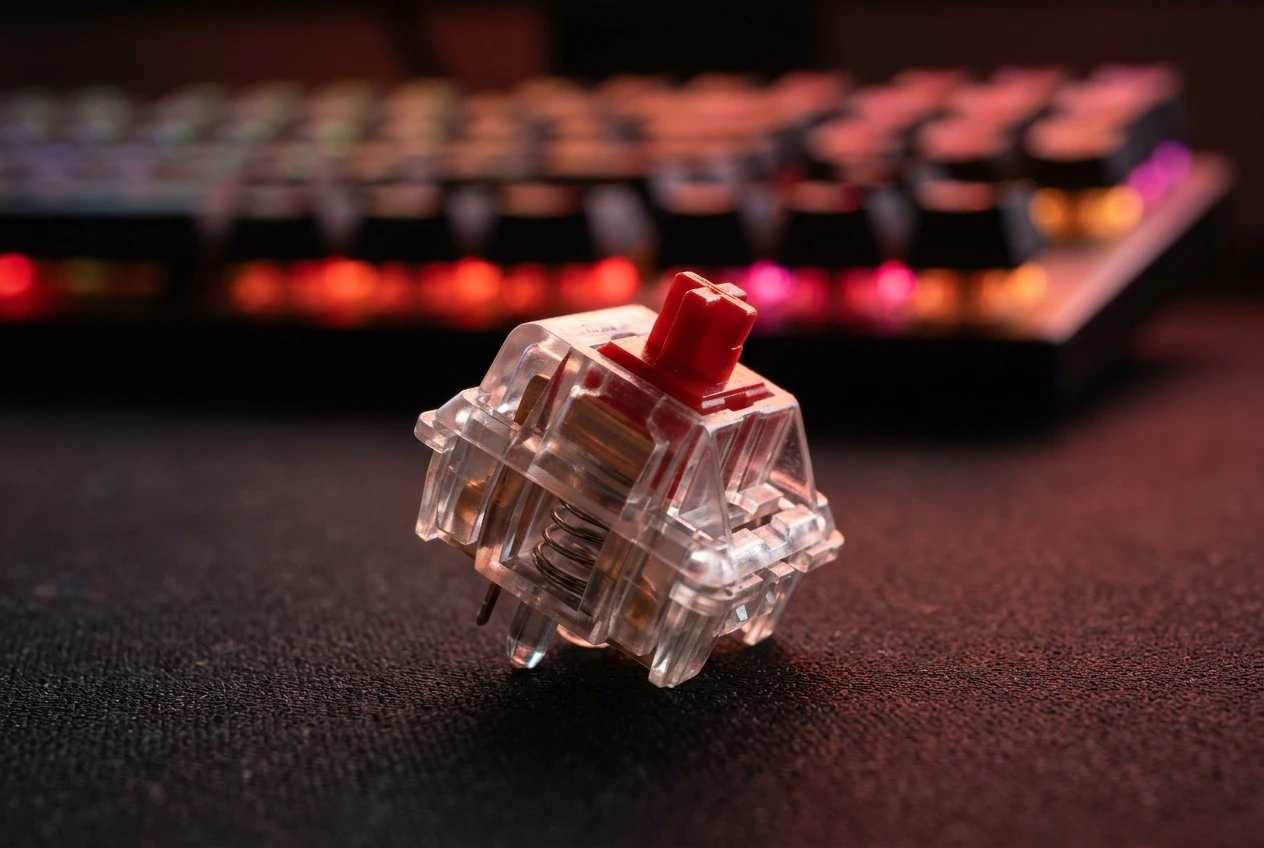
That consistency is why many gamers choose them. In a shooter or a fast action game you may press the same key repeatedly, such as crouching or reloading, and a linear switch gives nothing to interrupt the motion. You press and release without thinking about it.
Linear switches are usually among the quieter options, but they are not silent. Hitting the bottom of the key still makes a thud, especially on a cheap board with a hollow case. “Quiet-ish” is the honest description.
The downside shows up when typing. With no bump, there is no physical signal that the key has registered, so some people find they press harder than needed or make more typos at first. If you mostly game and only type the odd message, that matters little.
Suits: budget gamers who mainly play fast-paced games and want a smooth, fairly quiet board.
Tactile switches: the bump that suits gaming and typing
A tactile switch has a small bump partway through the press. You feel it with your fingertip as the key registers, and then the key carries on down to the bottom. There is no loud click.
That bump tells you the keypress has happened. When typing, that makes it easier to stop pressing once the bump has passed, which suits people who write emails, essays or chat messages as much as they play games. In games, it gives some feedback without making the keyboard noisy.
Tactile switches sit in the middle of the three families. They are usually louder than linear switches and much quieter than clicky ones. If you are unsure which family to pick, tactile is the safest compromise.
Some gamers find the bump gets in the way of rapid repeated taps, because each press has a slight resistance to push through. Others never notice it. This is personal preference, and neither group is wrong.
Suits: buyers who use one keyboard for both gaming and everyday typing, and anyone who is unsure what they like.
Clicky switches: great sound, but think about who shares your room
A clicky switch has a tactile bump plus a sharp, audible click at the point where the key registers. It is the most distinctive sound of the three, and many people love it. The sound is a large part of why enthusiasts buy mechanical keyboards in the first place.

The click is also loud. It carries across a room, and it can be picked up by a headset microphone if you are on voice chat. If you share a bedroom, live with family or play late at night while others sleep, a clicky board is likely to cause arguments.
Think about these before buying clicky:
- Who else is in the room or next door when you play?
- Do you use a microphone for voice chat?
- Would you be happy hearing the same click thousands of times a day?
If the answers are all comfortable, a clicky board can be a lot of fun. If not, choose tactile or linear and enjoy the keyboard without the complaints.
Suits: people who play alone, enjoy the sound, and do not use an open microphone near the keyboard.
Red, brown, blue: decoding the colours on a product listing
On Amazon UK, the switch type is often written as a colour: “red switch”, “brown switch” or “blue switch”. The colour names originate from the Cherry MX range, and many other makers follow the same convention:
Colour Switch family Feel and sound Red Linear Smooth, no bump, fairly quiet Brown Tactile Small bump, no click, moderate sound Blue Clicky Bump plus an audible click, loudest
Be aware that the system is a convention and not a strict standard. Budget keyboards often use switches from other manufacturers, and a “red” switch from one maker can feel slightly different from another’s. The family is usually what the colour tells you, and the exact feel may vary.
Other colours exist, such as black, yellow and silver, and different brands use them for different things. If a listing uses an unfamiliar colour, check the description or the product images for the words linear, tactile or clicky. If the listing does not say, look through the questions and reviews for someone describing the feel.
A genuine mechanical keyboard will name the switch type. If the listing is vague about switches, treat that as a warning sign.
Hot-swappable and pre-lubed: budget features worth paying a little extra for
Two features appear on budget listings that are worth understanding.

Hot-swappable means the switches pull out and can be replaced without soldering. If you buy a red-switch board and later decide you prefer brown, you can buy a pack of brown switches and swap them in. This takes away much of the risk of choosing wrong the first time, which is valuable for a first-time buyer. Hot-swap boards often come with a small switch puller, but check the listing to see whether one is included.
Pre-lubed means the manufacturer has applied lubricant to the switches at the factory. Lubricant reduces friction inside the switch, which usually makes the key feel smoother and can reduce scratchy or rattly sounds. It is a nice extra, and on a budget board it often signals that the maker has paid some attention to feel.
If you have to choose, hot-swappable is the more useful feature for a beginner, because it lets you correct a mistake cheaply. Pre-lubed is a bonus. Neither is essential, so do not stretch the budget far for them, but a small price difference for either is often worth it.
Which switch to pick by how you play and where you play
Match the switch to your situation and not to what a reviewer prefers.
- You play competitive or fast-paced games, and the room is shared: go for linear (red). It is smooth and relatively quiet.
- You split your time between gaming and typing: go for tactile (brown). The bump helps with typing and the noise stays low.
- You play alone and love the sound: clicky (blue) is the fun choice, as long as nobody else minds.
- You are not sure: choose a hot-swappable board with tactile switches. It is the safest middle option, and you can change the switches later if it does not suit you.
Where you play counts as much as how you play. A clicky board that is great in a spare room can be a poor choice in a flat with thin walls. When in doubt, choose the quieter option, since a keyboard that annoys the people around you tends to end up unused.
Still on the fence? Start with a membrane keyboard check first
Everything above assumes you have already decided to move to mechanical. If you have not, it is worth checking what a membrane keyboard can do before spending. Our guide on whether membrane keyboards are good enough for gaming covers the pros, the cons and the latency question, so you can judge whether an upgrade would improve your own setup.
A mechanical keyboard is a nice improvement for many gamers, but it is not required, and the money may do more elsewhere in a budget setup. Make that call first, then use the switch guide above to choose well.
Ready to pick one? Next, look at a roundup of the best budget mechanical keyboards under £50 with Amazon UK links, and use what you have learned here to check the switch type on each listing. If you are still not sure you need to upgrade, read the membrane keyboard guide first and decide from there.