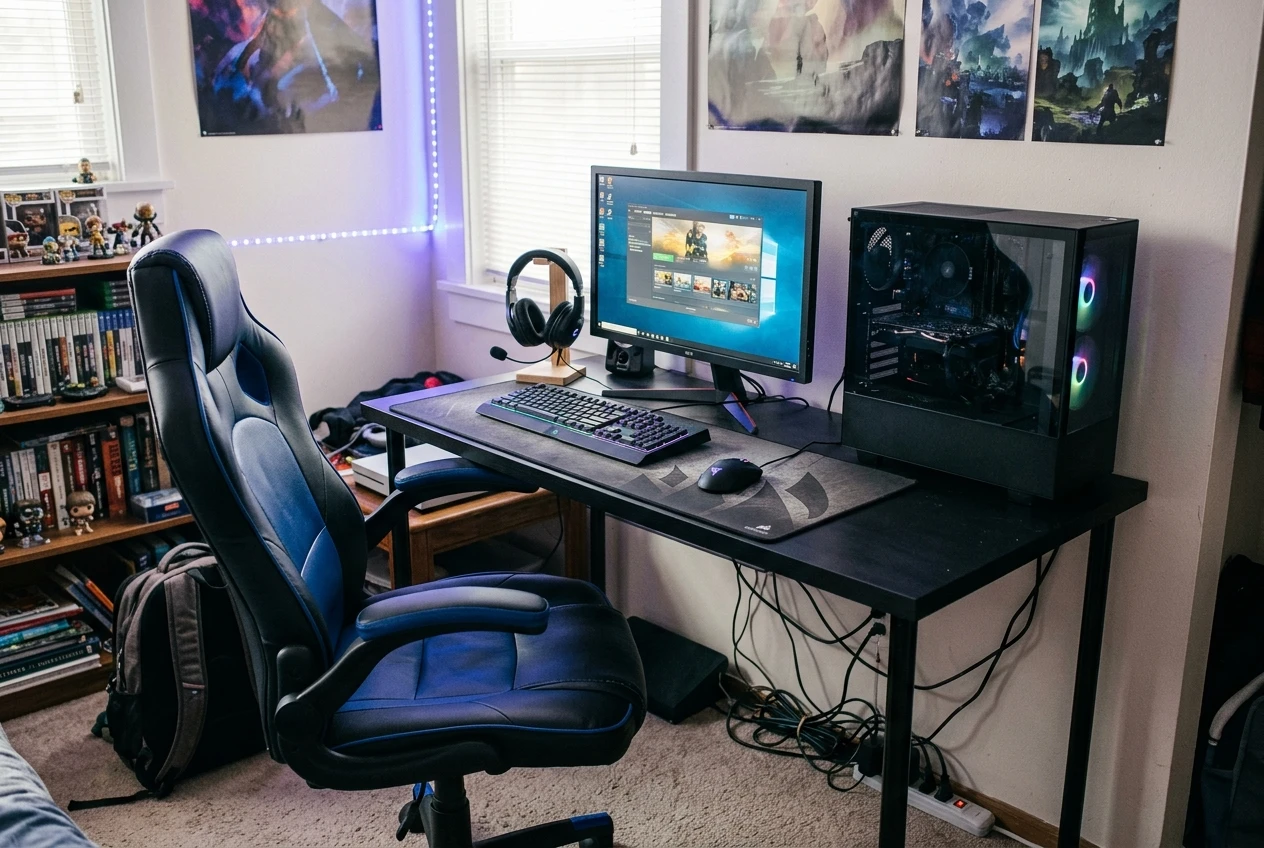
When I did renovations to my house back in 2022 I was on the lookout for a new chair and desk for my office/gaming area. A chair that adjusts well is wasted at a desk that sits too high, and a good desk is no help if you are perched on a seat that slumps after three months. My guide covers both, with a spending limit per item of £150 and a plan for which one to buy first.
Chair or desk first: where your first £100 does the most good
If you currently game from a dining chair, a bed or a sofa, spend your first £100 on the chair. A chair with an adjustable seat height lets you fit yourself to almost any desk, because you can raise the seat until your forearms sit level with the desk surface. A desk cannot do the reverse. Most budget desks are a fixed height, and standard desks are generally around 72 to 75 cm.
Buy the desk first in these situations:
- You are gaming at a coffee table, a laptop on your knees or a surface that is far too low or too small. No chair fixes a screen and keyboard that sit in the wrong place.
- Your current desk is under about 100 cm wide and you cannot fit a keyboard, mouse and monitor on it without crowding.
- You already own a decent adjustable office chair and the desk is the only thing causing problems.
If you can only afford one item at the moment, a sensible split of a £150 total is roughly £90 to £100 on the chair and the rest on the cheapest solid desk or a fix for the one you have. A chair earns the larger share because it is the part of the setup that touches your back, hips and thighs for the whole session. When I got mine I got them for a bundle for £300. I will upgrade later but for a budget I was really happy with it.
What actually makes a gaming chair comfortable (and what is just styling)
Gaming chairs are sold on looks: racing-seat shapes, bright colour panels, embroidered logos. Most of that has no effect on how your back feels after four hours. These are the features that do.
Features that matter
- Seat height adjustment. Your feet should rest flat on the floor with your knees at roughly a right angle. Every chair in this price range should have a gas lift, but check the height range in the listing against your own leg length.
- Seat depth and width. You should be able to sit with your back against the backrest and still have a couple of fingers’ gap between the seat edge and the back of your knees. A seat that is too deep cuts into your legs, and one that is too narrow squeezes your hips.
- Backrest that supports your lower back. Lumbar support is often a loose cushion on budget chairs. That is acceptable as long as it can be moved up and down or removed, because it needs to sit in the curve of your lower back, not behind your shoulder blades.
- Armrests that adjust, or none at all. Fixed armrests that are too high push your shoulders up, and ones that are too low are useless. If the armrests do not move, check that they slide under your desk, or pick a chair where they can be removed.
- Tilt and recline. A backrest that tilts back a little lets you change position, which matters more than any single “perfect” posture. Reclining flat while you play is rarely comfortable at a desk.
- Breathable upholstery. PU leather looks the part but holds heat during a long session, and it can peel over time. Mesh and fabric stay cooler, which is a comfort feature in a small UK room with the PC running.
- A weight rating that suits you. Listings state a maximum user weight. Choose one with a rating comfortably above your weight, because chairs at the limit tend to wear out first.
Features that are mostly styling
- Headrest pillows and neck cushions. They come with nearly every racing-style chair. They are fine as extras, but a pillow that is not at the right height can push your head forward.
- Colour trim, logos and stitching patterns. These affect appearance only.
- Extreme reclining ranges and footrests built into the chair. These suit lounging, and they add moving parts that can fail on a cheap chair.
Budget gaming chairs worth buying in the UK
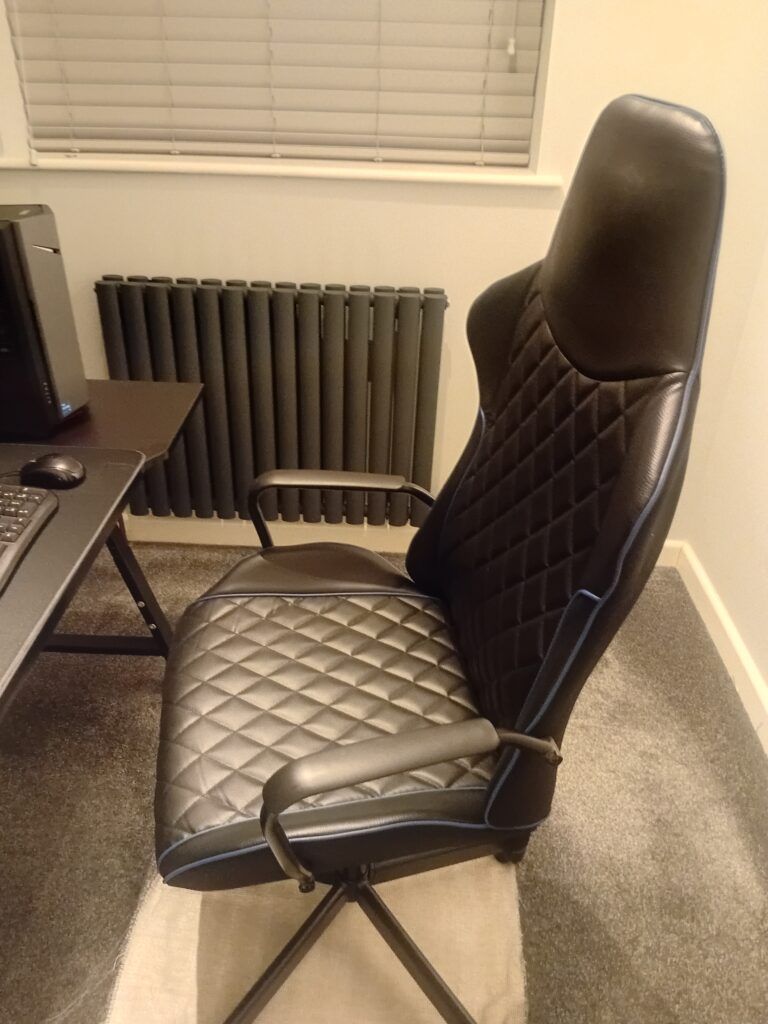
Because specific listings, prices and stock change often on Amazon UK, the picks below are ranked by chair type and budget band. Each type is described with what to confirm in the listing before you order.
For long sessions, a mesh back office chair with adjustable lumbar support is the strongest choice at this price. The mesh stays cooler than PU leather and the backrest flexes slightly as you move. Many chairs of this type have a tilt mechanism and adjustable arms, which budget racing style chairs often lack.
Check that the listing states a seat height range, a tilt function and a weight rating. If you want the gamer look, this is the type you give up, and you gain comfort in exchange.
2. Fabric-covered gaming chair, around £100 to £150
Several brands make racing style chairs with a fabric cover in place of PU leather. They keep the bucket seat shape and the adjustable headrest and lumbar cushions, but breathe better and are less likely to peel. This is the best choice if you want the gaming chair look and care about comfort over many hours.
Look for adjustable armrests, a backrest that reclines, and a seat with enough padding. Check the reviews for comments about the foam going flat, because foam density is the common weak point.
3. Basic adjustable task chair, under about £60
If your spending limit is tight, a plain adjustable task chair is better than a poor gaming chair at the same price. It will not look like a gaming chair, but it should still have seat height adjustment and a supportive backrest. Add a lumbar cushion from the fixes section below and you have a workable seat for much less.
Avoid chairs at this level that have no height adjustment at all, since that is the one feature you cannot add later.
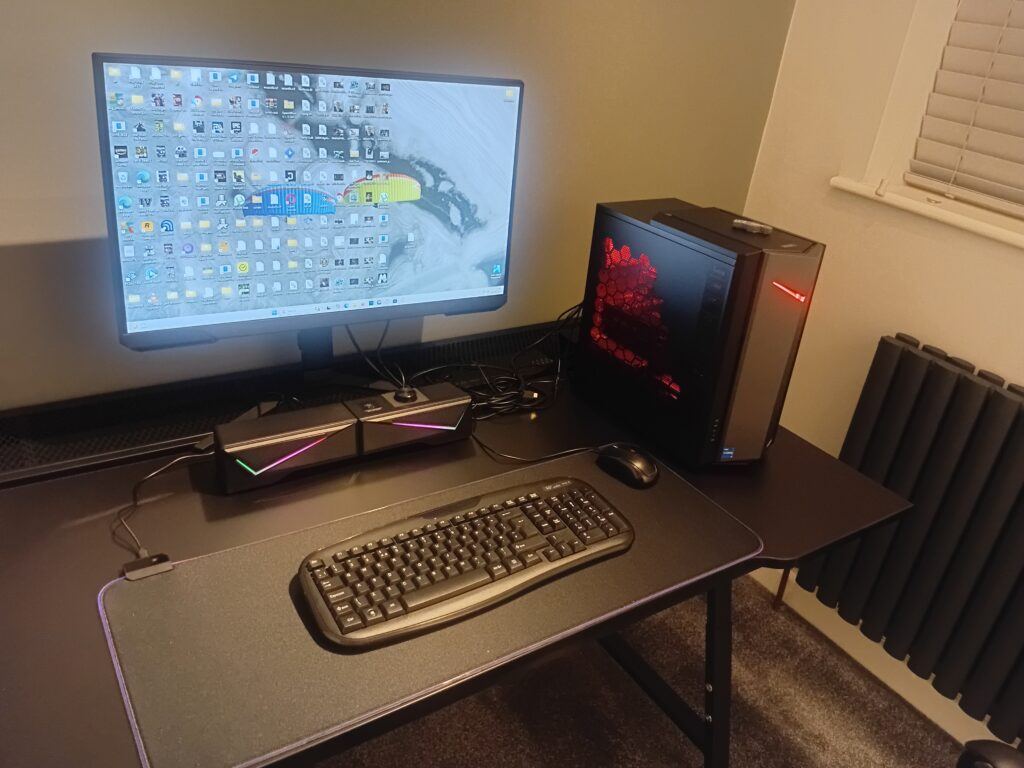
Budget desks that fit a small room and a full setup
A gaming desk needs to hold a monitor, a keyboard and a mouse with room to move your mouse arm, and often a PC tower or a console nearby. It also needs to fit your room. Measure the space and the clearance for your chair before you order, because many UK bedrooms and spare rooms have only one usable wall.
What to check on any desk
- Width. Around 100 to 120 cm is a workable minimum for one monitor, a keyboard and mouse space. Go wider for two monitors or a large mousepad.
- Depth. At least 60 cm lets you sit at a sensible distance from the monitor. A shallower desk pushes the screen too close to your eyes.
- Height. Standard height is around 72 to 75 cm. If the listing does not state a height, treat that as a warning.
- Stability. Wobble shows up when you move a mouse hard or type. Look for steel legs and a stated weight capacity, and read reviews for comments on shaking.
- Space under the desk. Check that the chair, your knees and any tower or storage fit under it.
Desk types worth considering, under £150
Straight desk, 100 to 120 cm wide, around £50 to £100. This is the default budget option. A simple desk with a steel frame and a laminated top suits one monitor and keeps cost down. It is the best fit for a small room.
L-shaped corner desk, around £90 to £150. This is worth a look if you have a spare corner and want separate areas for the PC and for a console or notes. It takes up more floor space, so check the measurements twice.
Compact desk with a shelf or monitor stand, around £60 to £120. A raised shelf above the desk surface puts the monitor at a better height and frees up desk space. Check that the shelf height suits your eye level, because a built-in shelf cannot be adjusted.
Adjustable-height desk, usually at the top of or above this budget. Manual crank and electric sit-stand desks generally cost more than a basic fixed desk. If one fits within £150 on the day you check, it solves the height problem directly. Compare carefully, because the cheapest ones may have limited desktop size or stability.
Getting the height right so your chair and desk work together
Get these measurements right and a mid-range chair and desk will feel better than an expensive pair set up badly. Set the chair first, then the desk and screen.
- Set the seat height. Sit with your feet flat on the floor and your knees at roughly a right angle, with your thighs level with the floor or tilted slightly down.
- Check your elbows. With your upper arms relaxed by your sides, your forearms should rest on the desk at about a right angle, with your wrists straight. If the desk is higher than your elbows, your shoulders rise as you type or aim.
- Adjust the armrests. They should support your forearms lightly without pushing your shoulders up. If they stop you getting close enough to the desk, lower them or remove them.
- Fix the problem at the desk if the chair has to go too high. If you raise the seat to meet the desk and your feet no longer reach the floor, use a footrest. Raising the chair and adding a footrest is the usual answer with a fixed-height desk.
- Position the monitor. The top of the screen should be at or slightly below eye level, roughly an arm’s length away. A screen that is too low drags your head forward and down.
- Place the keyboard and mouse. Keep them close enough that your elbows stay near your sides, without reaching forward.
Check the setup after a long session as well as at the start. If your neck, shoulders or lower back feel tight at the end of two hours, one of these measurements is probably off. Adjust a single thing at a time, so you can tell what helped.
Cheap fixes that add comfort: cushions, footrests and monitor risers
If your chair or desk is almost right, one of these accessories often fixes the remaining problem for much less than replacing the main item. Most cost well under £30 on Amazon UK, though prices vary by listing.
- Lumbar cushion. A firm cushion in the curve of your lower back helps a chair with weak built-in support. Choose one with an adjustable strap so it stays in place, and position it at your waist, not higher.
- Seat cushion. A foam seat pad can rescue a chair whose padding has gone flat. Make sure it does not raise you so far that your feet leave the floor or your knees hit the desk.
- Footrest. This is the fix for a fixed-height desk and a chair that has to sit high. Look for an adjustable-angle or adjustable-height model, since a fixed block may not suit your leg length.
- Monitor riser. A stand or a stack of sturdy books raises the screen to the correct eye level. A riser with a shelf underneath also gives you somewhere to store a keyboard when you are not playing.
- Desk mat or large mousepad. A big mat gives your forearm somewhere to rest, so it does not press against a hard desk edge. It also keeps the mouse movement comfortable on a small desk.
- Cable tidy accessories. Clips and sleeves stop cables from catching on your legs and the chair, which matters in a tight space.
Add one at a time. If a chair feels uncomfortable even with a cushion and a footrest, the chair itself needs replacing.
Which chair and desk combination suits which budget
These combinations set out how to divide a total budget between the two items. They are planning targets, so check the actual listing prices on the day you buy.
Around £100 in total
Put most of the money into the chair, around £60 to £70, and choose the cheapest stable straight desk you can find for the rest. If that does not stretch, keep your current table and buy a task chair with seat height adjustment and a lumbar cushion. Raise your monitor on books or a riser.
Around £150 in total
A split of about £90 on the chair and £60 on the desk works for most people. A fabric or mesh chair with adjustable arms and a 100 to 120 cm straight desk is a sound pairing. Keep a small amount for a footrest or a monitor riser if your measurements need it.
Around £200 to £250 in total
You can spend near the top of each category: a mesh ergonomic chair or a good fabric gaming chair at the upper end of the £100 to £150 band, with a wider desk or a compact desk with a monitor shelf. This is also the budget where you can start to compare an adjustable-height desk with a fixed one.
Small room or shared space
Prioritise a compact straight desk, 100 to 120 cm wide, and a chair that tucks under it. Choose a chair without large armrests if the armrests stop it fitting beneath the desk. Use a monitor riser for storage space beneath the screen.
Long sessions of four hours or more
Put more of the money into the chair, and choose mesh or fabric over PU leather. Adjustable lumbar support, a tilt function and adjustable arms are worth paying for, with a footrest if the desk height requires it. Take a short break every hour, because no chair makes sitting still comfortable for that long.
Plan the rest of your setup around your new chair and desk
Once you have a chair and desk that fit, the rest of the gear is easier to choose, because you know how much space and budget you have left. The full budget setup walkthrough covers the monitor, peripherals and the order to buy them in, so everything works with the chair and desk you pick here. When you are ready to shop, search Amazon UK for the chair and desk types above and check each listing against the features in this guide before you order. And apart from amazon you could try places like lkea. That is where I could my desk and chair. I like it so much I decided to keep it. If you have seen a bargain let me know in the comments. I also enjoy reading about a reader that has made a saving.