
If you already own a headset, speakers are a separate purchase with a different purpose: they fill the room with sound instead of delivering it straight to your ears. This guide covers the best cheap gaming speakers in the UK, sorted by how much desk you have and how much you want to spend. It also explains what makes speakers sound immersive in games, so you can judge any listing on Amazon UK yourself.
The picks are chosen on speaker layout, connections and how well they suit a typical desk. They are not based on lab measurements, so check the current price and connections on each listing before you buy.
Speakers or a headset: who should buy speakers for gaming
Speakers suit single-player and co-op games where you want a wide, cinematic soundstage and the freedom to lean back without a band on your head. They also suit anyone whose ears get hot or sore after a long session, and anyone who shares a desk or living room with a console and wants the sound to carry across the room.
A headset is the better buy when you play competitive shooters late at night, share a wall with neighbours, or need a microphone for voice chat. Speakers have no mic, so if you talk to your team you will need a separate microphone or a headset anyway. If that sounds like you, the budget gaming headset guide covers that side of the decision.
What makes speakers feel immersive in games (and what is just marketing)
Three things do most of the work, and none of them is on the front of the box.
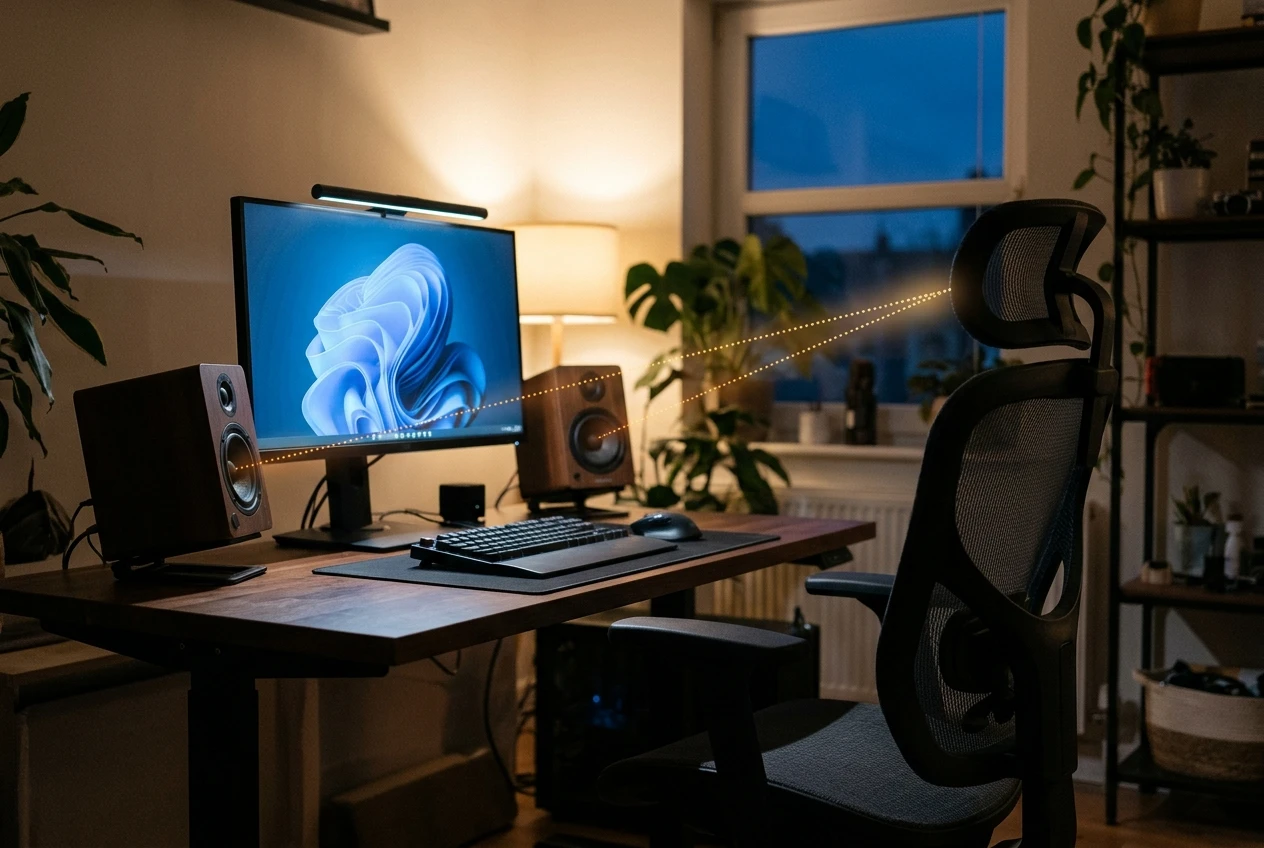
Stereo imaging. Immersion in games comes from hearing where things are. A pair of speakers placed at about ear height, the same distance from you as from each other and angled slightly inward, gives a much clearer left-to-right picture than speakers lying flat at the back of a desk. Placement costs nothing and often improves the sound more than an extra £20 on the speakers.
Bass. Explosions, engines and footsteps on heavy surfaces carry low-frequency weight that small desktop drivers cannot reproduce on their own. A subwoofer handles that range, which is why a 2.1 set often feels bigger than a 2.0 pair of the same price.
Clean volume. Cheap speakers tend to distort when pushed loud, which flattens the sound exactly when a game gets busy. Speakers that sound good at a moderate volume beat louder ones that crackle at the top.
Here is what to ignore:
- Peak power watts. Figures such as PMPO are not a standard measure of loudness. If a listing gives RMS watts, that is the number that means something, and for a desk you need very little.
- “Surround” claims on a two-speaker set. Two speakers cannot place sound behind you. Virtual surround modes only change how the stereo signal is processed, and some games sound better with them off.
- RGB lighting. It changes how the speakers look and nothing about how they sound.
2.0, 2.1 or 5.1: which layout suits a small UK desk
A 2.0 set is two speakers and nothing else. It takes the least space, has the fewest cables and gives the cleanest stereo image for the money. It suits a small desk or a bedroom setup, and it is the sensible choice if you share walls with neighbours.
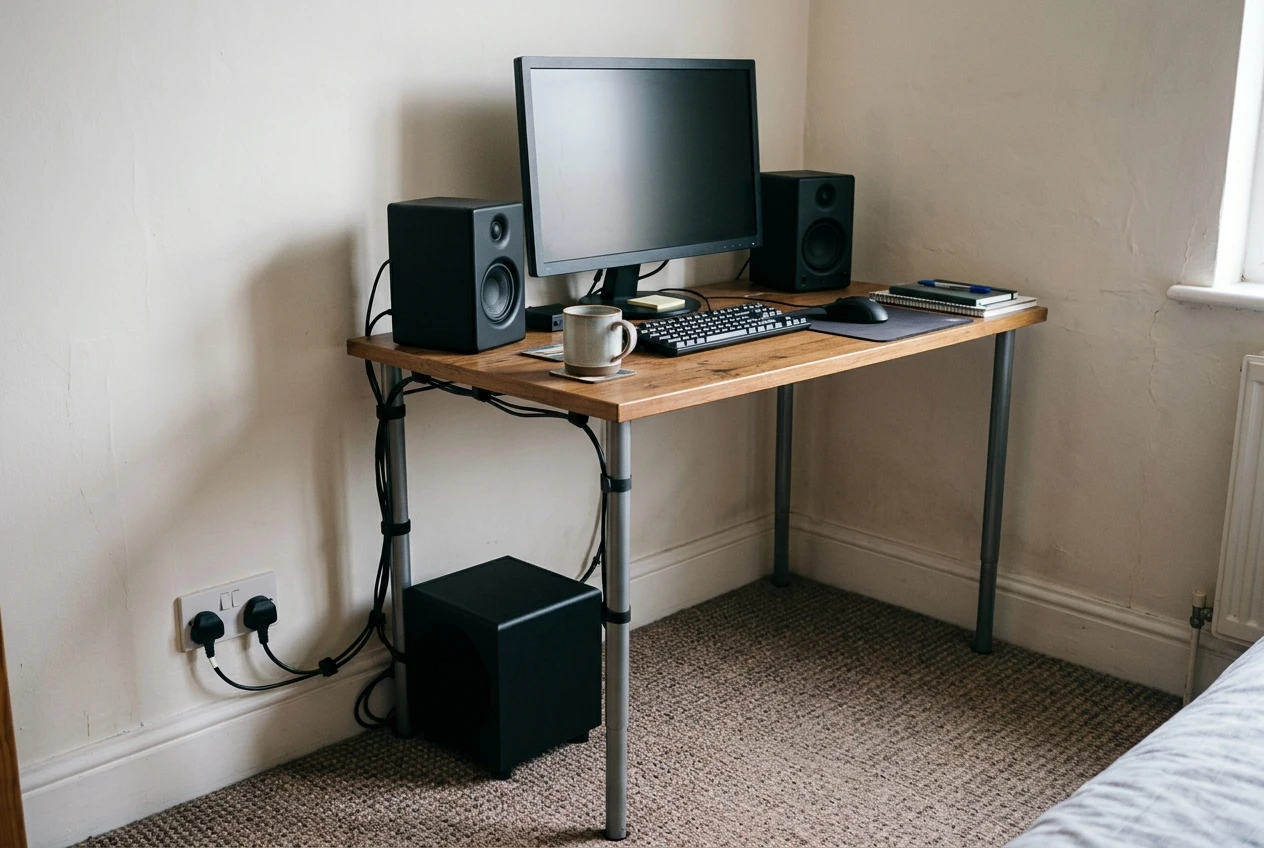
A 2.1 set adds a subwoofer, a box that normally sits on the floor beside the desk. You get noticeably more low-end weight, but you need floor space and a spare mains socket. In a flat or terraced house, keep the volume and bass level in check, because low frequencies travel through walls and floors more easily than the rest of the sound.
A 5.1 set uses five speakers plus a subwoofer. It needs a source that outputs multichannel audio, plus the room to place rear speakers behind you and run cables to them. On a typical small desk this is awkward and rarely worth it at a budget price. A good 2.0 or 2.1 set, placed well, will usually do more for you.
If you are still deciding on desk size and layout, the budget gaming chairs and desks guide shows what fits in a small space.
The best cheap gaming speakers under £30
Creative Pebble. A compact 2.0 pair that takes power over USB and audio through a 3.5mm cable, so it works with a PC, laptop or any device with a headphone output. The two small, angled speakers sit on either side of a monitor and take very little room. This is a good fit for the smallest desks and for anyone whose only aim is to replace monitor speakers.
Logitech Z120. Another small 2.0 pair, USB-powered with a 3.5mm input, for a similarly tight budget. It suits a setup where you want something that works the moment you plug it in and takes no thought.
At this price, expect clear stereo sound and limited bass. Small drivers cannot move much air, so the sound lacks weight on big explosions. If you want more than that, move up a band rather than turning the volume up.
The best budget gaming speakers for £30 to £60
Logitech Z313. A 2.1 set with a subwoofer, connected by 3.5mm and powered from a wall socket. The separate sub is what gives it more low-end than the cheapest pairs, so action games, racing games and anything with a big soundtrack sound fuller. It needs a spot on the floor for the sub and a mains socket, so it works best where you have a little room beside the desk.
Creative Pebble Plus. A 2.1 set that follows the Pebble design, with a small subwoofer added. It is the more compact way to get a sub, and a good match if the desk is small but you want more bass than a plain pair can give. Check the listing for the current connections and power arrangement before you buy.
Between these two, choose the Logitech if you have floor space and want the larger sub, and the Creative if you want to keep things tidy and compact.
The best step-up pick if you can stretch past £60
Edifier R1280DB. A powered 2.0 bookshelf pair, which means larger speakers and larger drivers than the desktop sets above. It has Bluetooth, optical and RCA inputs, so you can connect a PC, a TV or a phone at once and switch between them. Because the speakers are bigger, stereo imaging and clean volume are the strengths here, and you do not need a subwoofer to get fuller sound.
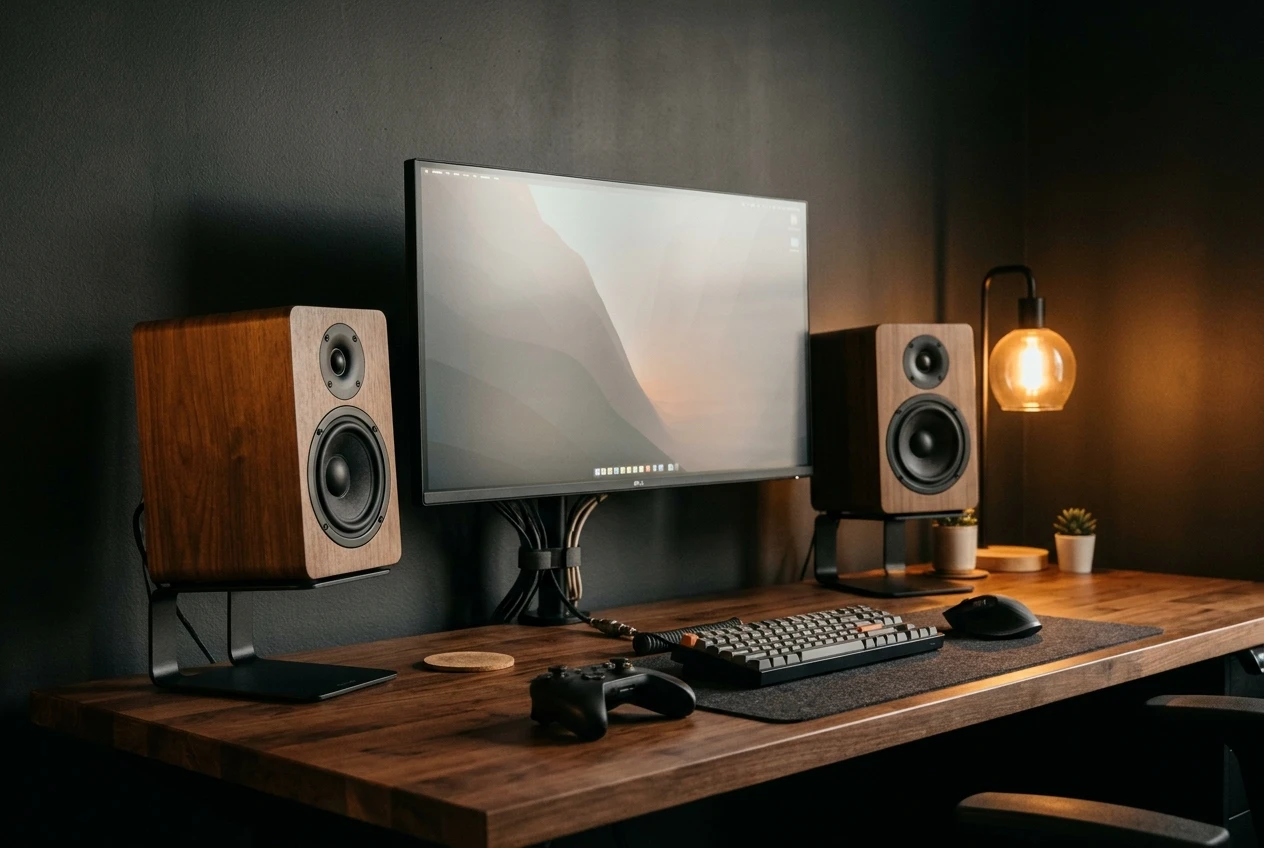
The catch is size. Bookshelf speakers need real desk width, or a pair of stands or shelves beside the monitor. If your desk is narrow, the step-up is better spent on a compact 2.1 set. Check the current price on the listing, because it moves around, and stretch for it only if you have the space to place the speakers properly.
How to connect speakers to a PC, PS5 or Xbox (USB, 3.5mm, optical)
- USB: On most budget desktop speakers, USB only supplies power. Sound still arrives over a separate 3.5mm cable. Check the listing, because a few models also carry audio over USB.
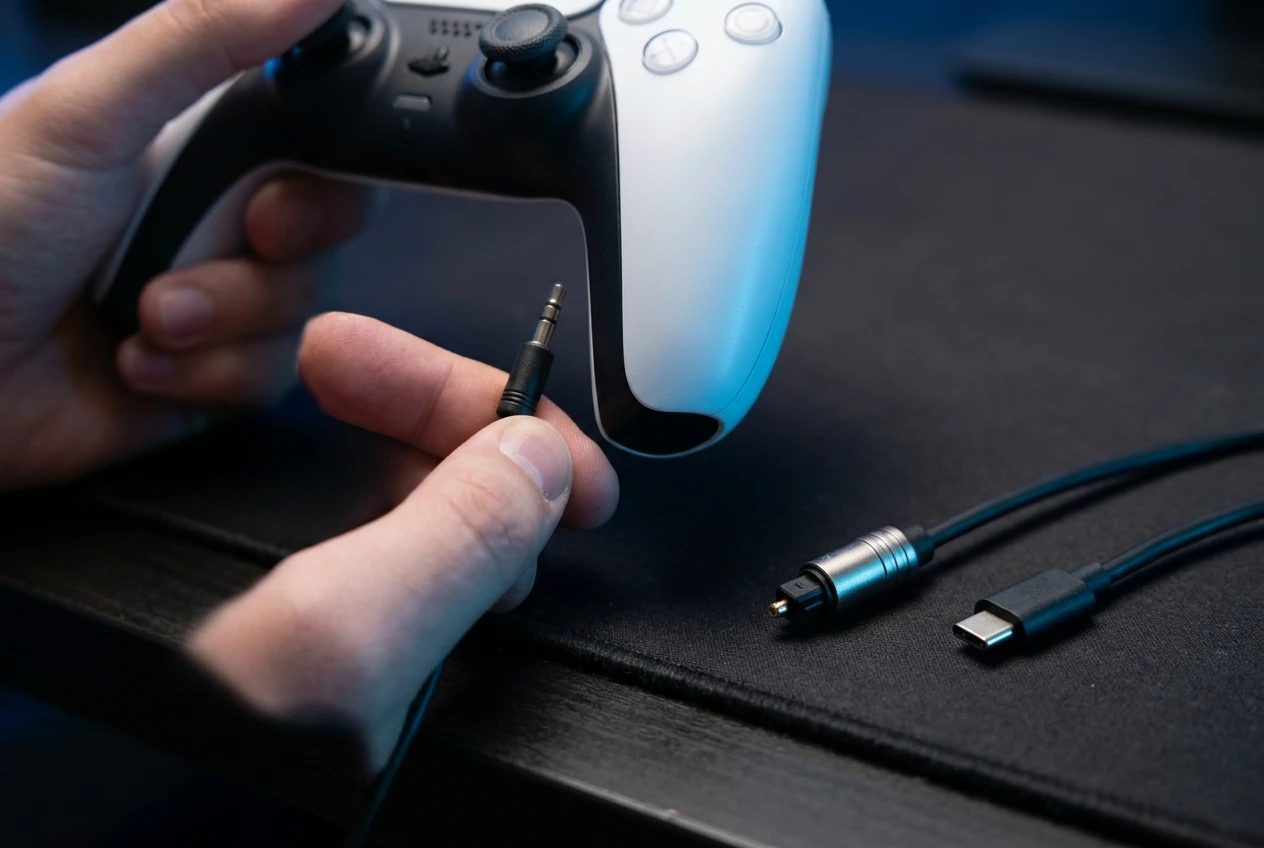
- 3.5mm: The simplest connection. On a PC, plug into the green headphone or line-out socket on the back of the case, which is usually better than the front panel. On a PS5, the 3.5mm jack on the DualSense controller works. Current Xbox controllers have the same jack.
- Optical: A square-ended digital cable that suits speakers with an optical input, like the Edifier above. Many PC motherboards have an optical output. The PS5 and Xbox Series consoles do not, so on those you will use 3.5mm or take sound from your monitor or TV.
- From a monitor or TV: If your console connects by HDMI, many monitors and TVs have a headphone or audio-out socket that you can run to speakers. This keeps the console end simple, and it gives you a way in if your controller’s jack is awkward to reach.
If you plan to run a console, the PS5 review covers the hardware side of that setup.
Which speakers to buy for your setup
Match the pick to the desk first and the budget second:
- Very small desk, tightest budget: Creative Pebble or Logitech Z120.
- Small desk, want more bass: Creative Pebble Plus.
- Room for a floor subwoofer: Logitech Z313.
- Wide desk or shelf space, willing to spend more: Edifier R1280DB.
Whichever you pick, set the speakers at ear height, angle them toward where you sit, and keep the bass level moderate if you share walls. That setup effort will make a bigger difference than any extra watts on the box.
Browse the Amazon UK listings for the picks that suit your budget, and compare the current prices and connections before you order. If you would rather game on headphones, read the budget gaming headset guide, and see how to build a budget gaming setup for the rest of your desk.