
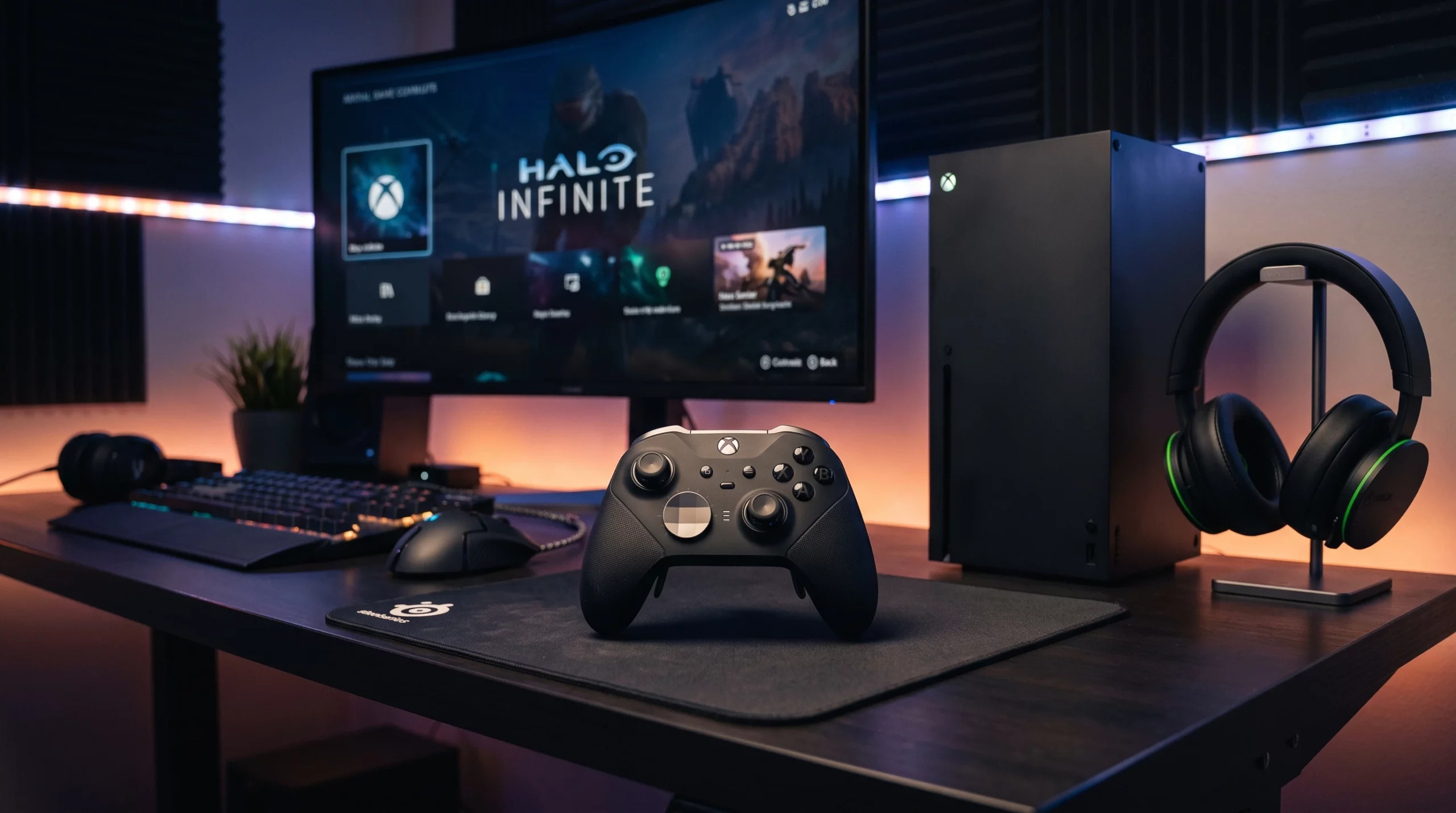
The Xbox Elite Series 2 Controller feels like an upgrade made for gamers who want more out of their gameplay. I bought one for myself a couple years ago as a Christmas gift and really happy with it so far. I’ve found it’s worth having a deeper look, especially if you’ve ever considered grabbing one for your Xbox Series X/S or even for your pc.
What Makes the Xbox Elite Series 2 Stand Out?
The Xbox Elite Series 2 isn’t your regular Xbox controller. Right out of the box it feels heavier and more solid, but the wow factor is in the extra features that make tweaking your setup so much easier. With adjustable tension thumbsticks, swappable D-pads, and rear paddles that you can remap, it’s made for gamers who care about little details.
I myself opted for the standard one because it’s cheaper but my cousin has it with the add ons which he says is great for fps games like call of duty.
Microsoft gave this controller some love, adding USB-C charging, Bluetooth support, and a rechargeable battery that actually lasts. For players who spend long hours gaming, these upgrades go a long way toward making things smoother.
Breaking Down the Design and Build Quality
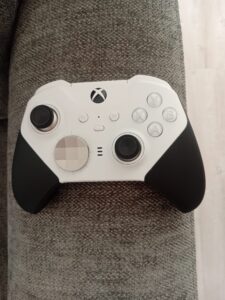
One of the first things I noticed after unboxing the controller was the soft touch grip and the overall weight. The Elite Series 2 feels really sturdy; it sits comfortably during long play sessions and actually helps with hand fatigue thanks to its slightly textured finish. Even the small metallic accents on the paddles give it a cool premium vibe.
The thumb sticks tension can be adjusted with a tiny tool tucked in the case, which is handy for shooters and racing games where precision comes in clutch. That level of customization helps justify the higher price tag for people who are on their controllers for hours at a time.
Key Features That You Will Appreciate
- Adjustable Thumb sticks: You get three strength settings for the thumbsticks, which is super useful for FPS games or racers if you’re picky about dead zones and resistance.
- Interchangeable Parts: The D-pad and thumbsticks pull off with magnets, so switching them takes seconds. You get different heights and shapes for each, letting you mix and match for comfort and tactic.
- Rear Paddles: Programming the four back paddles with basically any button or function is great for fast response times. I use mine to reload or weaponswap without moving my thumbs off the sticks.
- Trigger Locks: Quickfire locks on the triggers cut down the distance needed to register presses. Shooters and action games feel snappier with this turned on.
- Profile Switching: You can save up to three custom profiles for different games or players, then swap between them with a dedicated button on the controller.
- Battery and Charging: The internal battery lasts up to 40 hours on a charge. The carrying case doubles as a charging dock, letting you keep your controller ready without fumbling for cables.
Comparing Xbox Elite Series 2, Elite 2 Core, and Elite Series 1
The original Xbox Elite Controller Series 1 started the whole premium feel. After using both, the Series 2 adds upgrades that are tough to ignore. The internal battery setup, tighter sticks, and full Bluetooth support fix a lot of the pain points from the Series 1.
There’s also the Xbox Elite Series 2 Core, which is a cheaper version, that’s the one I went for because I can always buy the extras later. It ditches extras like the paddles, case, and extra sticks/D-pad. You can check it out here. But the Core is perfect if you want all the main hardware upgrades but are fine skipping spare parts and carrying cases. You can always upgrade your Core with parts later on, but if you plan to use the paddles or travel with your controller, it may cost more in the long run.
Alternatives to the Xbox Elite Series 2
If you’re on the fence about the price or prefer a different shape or feature set, there are a few alternatives worth checking out. The SCUF Instinct Pro gets mentioned a lot. It offers rear paddles and more colour options, but at a similar or higher cost, depending on customization. The Razer Wolverine V2 Chroma is another solid option, giving you remappable buttons and cool RGB lighting, though it’s wired only. Not as portable, but still popular for competitive players.
If you want something cheaper, grabbing the new standard Xbox controllers or PowerA Enhanced controllers can get the job done, especially for casual gaming or as a second controller. They just won’t carry the same custom feel or robust build quality as the Elite 2.
What to Consider Before Buying the Xbox Elite Series 2 Controller
- Price: At around £110-£150, it’s an investment, especially compared to regular Xbox controllers that land closer to £50 If you game daily or value custom setups, it pays off, but otherwise, you’re paying for features you might not use.
- Replacement Parts & Durability: I’ve found the magnetic thumb sticks and paddles don’t fall off during normal use, but if you’re rough with your controller, keep an eye out. Some people online have run into wear and tear faster than with a stock controller.
- Platform Compatibility: Works great with Xbox Series X/S, Xbox One, and Windows PC (wired or Bluetooth). You can technically use it on mobile if you’re streaming Game Pass or Remote Play, but not all custom features will carry over.
- Customization Needs: The real magic happens when you take advantage of the remappable paddles, multiple profiles, and stick tension tweaks. If you only play casually or don’t need all those features, a regular controller will probably cover your needs for less money.
Customization and Software
The Xbox Accessories app (free on Xbox and Windows) lets you remap buttons, swap analog stick axes, adjust trigger sensitivity, and save up to three personal profiles. Setting up paddle shortcuts is quick, letting you swap on the fly if you jump between shooters, fighting games, or platformers. It can take about five minutes to customize a new setup, and swapping between profiles barely interrupts your game.
Advanced Tips for Getting the Most Out of the Xbox Elite Series 2
- Profile Tweaking: Create a profile for each game genre. I use a different setup for racing (shorter trigger pulls) than I do for shooters (fast paddle reloads).
- Don’t Overuse Trigger Locks: Some games, especially racing or platformers, play better with full range triggers. Only use quick locks for fast paced shooters where it makes a difference.
- Backup Accessories: If you lose a paddle or stick, replacements are sold online (both official and thirdparty). Keeping a spare pack or two can be handy.
Real-World Uses and Who Should Buy It
- Competitive Gamers: The extra paddles and button mapping speed up reaction times and can give you a small edge in ranked matches. FPS players will especially appreciate this.
- Racing Enthusiasts: Quick trigger stops and adjustable sticks mean more control in tight turns and acceleration.
- Streamers or Content Creators: Being able to remap functions and swap profiles helps when jumping between games live or making controller-specific content.
- PC Gamers: With Bluetooth, the Elite 2 works great for Steam and Game Pass titles. You get the same custom tweaking as on Xbox consoles and can jump between setups easily using the app.
Frequently Asked Questions
Q: Is the Xbox Elite Series 2 worth the price over a regular controller?
A: If you play a lot or care about customization and premium feel, it’s worth the price. For more casual gamers, the standard Xbox controller covers all basics at a lower cost.
Q: What is the difference between the Elite 2 and Elite 2 Core?
A: The Elite 2 Core is a barebones version of the Series 2. Same hardware, but missing accessories like paddles, extra sticks, and carrying case. You can add these parts later if you change your mind.
Q: How does it compare to third-party options like SCUF or Razer controllers?
A: SCUF and Razer both have solid alternatives with similar customization options. SCUF is really big with esports players, while Razer Wolverine is more affordable but wired. Personal preference on shape, software, and price comes into play here.
Q: Does the Elite 2 controller work on PlayStation?
A: It’s only built for Xbox and PC, so it won’t work on PlayStation consoles without extra adapters. And then you’ll lose a lot of the custom features.
Final Thoughts
The Xbox Elite Series 2 Controller brings a lot to the table for anyone after a more advanced gaming setup. While it’s not cheap, you get customization, comfort, and battery perks that make it a favorite with serious gamers. Whether you’re aiming for top leaderboards, pushing for precision in racing games, or simply want a controller that feels built to last, the Elite Series 2 really delivers. If the price or extra features seem unnecessary for your gaming style, checking out some of the alternatives is a smart move. For me, it’s the controller I reach for every time I want a session that just feels dialed in. Thanks for reading and comment below if you have any questions.